

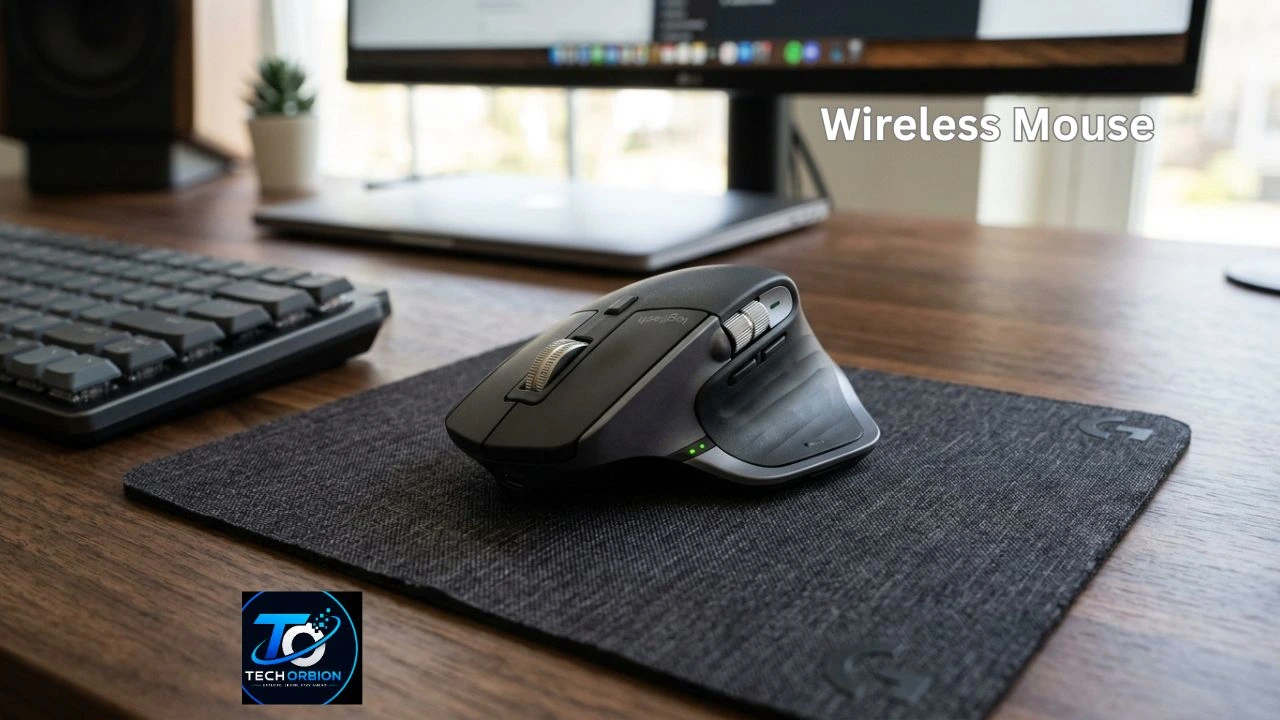
A wireless mouse is a simple computer accessory that lets you control your laptop, desktop, or other compatible device without using a cable. Instead of a wire, it uses a wireless connection to send your movements and clicks to the computer.
Wireless mice are popular because they keep your desk clean and give you more freedom to move. They can be useful for office work, studying, gaming, travel, and everyday computer tasks. Some models are small enough to carry in a laptop bag, while others are designed for long hours of comfortable use.
If you are interested in a specific brand, our guide to A4Tech Mouse explains its types, features, and options for different users.
But not every model is the same. Some use Bluetooth, while others use a USB receiver. Battery life, sensor quality, shape, buttons, size, and comfort can all affect your experience.
This guide explains how wireless mice work, their main types, benefits and drawbacks, and what you should check before buying one.
Table of Contents
- What Is a Wireless Mouse and How Does It Work?
- Types of Wireless Mice
- Benefits and Drawbacks of Using a Wireless Mouse
- How to Choose the Right Wireless Mouse
- Wireless Mouse Tips, Common Problems, and Maintenance
- Frequently Asked Questions
- Conclusion
What Is a Wireless Mouse and How Does It Work?
A wireless mouse is a pointing device that communicates with a computer without a physical cable. You move the mouse on a desk or another surface, and its sensor detects the movement. The mouse then sends that information wirelessly to your computer.
Most wireless models use either Bluetooth or a small USB receiver. Bluetooth models connect directly to devices that support Bluetooth, so you do not normally need a separate receiver. Models with a USB receiver require you to plug a small adapter into a USB port.
How Does a Wireless Mouse Connect?
The connection process is usually simple. For a USB receiver model, you plug the receiver into the computer, turn on the mouse, and the two devices normally connect automatically.
Bluetooth models usually require you to open your computer’s Bluetooth settings and select the mouse from the available devices. Once paired, the mouse can usually reconnect automatically when you turn it on.
Wireless communication is fast enough for normal tasks such as browsing websites, writing documents, watching videos, and working with spreadsheets. Many modern models also offer very good response times for gaming.
Optical and Laser Sensors
A sensor is one of the most important parts of a mouse. It tracks movement and tells the computer where the pointer should move.
Most modern mice use optical sensors. They use light to detect small changes on the surface underneath the mouse. Laser sensors can also track movement and may work on a wider range of surfaces.
For everyday use, a good optical sensor is usually more than enough. You do not necessarily need an expensive sensor for basic office or school work.
Types of Wireless Mice
Wireless mice come in many shapes and sizes. The best type depends on how and where you plan to use it.
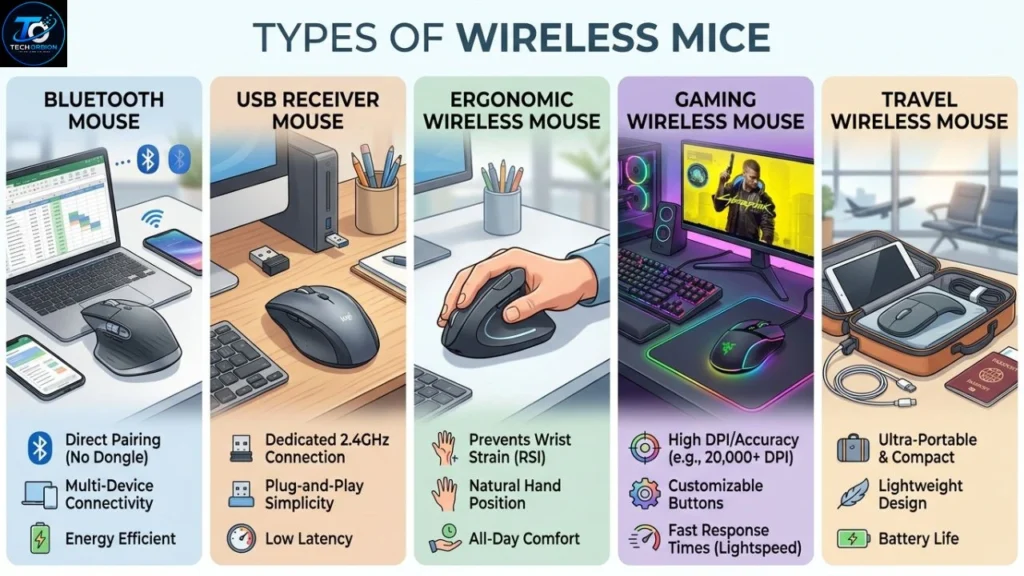
Bluetooth Mouse
A Bluetooth mouse connects directly to a computer, tablet, or other compatible device. It is especially useful for laptops because you do not need to occupy a USB port with a receiver.
Bluetooth models are also convenient for travel. You can carry the mouse and laptop together without worrying about losing a small receiver.
However, compatibility can vary between devices. You should check that your computer supports the required Bluetooth connection before buying one.
USB Receiver Mouse
This type comes with a small wireless receiver that connects to a USB port. The receiver communicates with the mouse using a wireless radio signal.
USB receiver models are common and easy to use. They are often a good choice for desktop computers and gaming PCs.
The main disadvantage is that the receiver can be lost. Some mice allow the receiver to be stored inside the mouse when it is not being used.
Ergonomic Wireless Mouse
An ergonomic mouse is designed to make your hand and wrist feel more comfortable during long periods of use. It may have a special shape that supports your palm and encourages a more natural hand position.
This type can be useful for people who spend many hours working on a computer. Comfort should be one of your main considerations if you use a mouse throughout the day.
Gaming Wireless Mouse
Gaming models are designed for fast and accurate control. They may include a high-quality sensor, programmable buttons, adjustable sensitivity, and a fast wireless connection.
A gaming mouse can be useful for competitive games where quick movements matter. However, it may cost more than a basic model and often includes features that regular users do not need.
Travel Wireless Mouse
Travel mice are usually smaller and lighter than standard models. They are easy to place inside a laptop bag or backpack.
Their small size makes them convenient, but some users may find them less comfortable during long work sessions. If you mainly work at a desk, a larger model may be a better choice.
Among the popular options, a Logitech Mouse can be a good choice for users who want reliable performance, comfortable designs, and useful features.
Benefits and Drawbacks of Using a Wireless Mouse
A wireless mouse can make a computer setup cleaner and more flexible. However, it also has a few disadvantages that you should understand before buying one.
Main Benefits
1. No cable clutter
The biggest advantage is the lack of a cable. Your desk can look cleaner, and there is no mouse cable getting caught on other objects.
2. Better freedom of movement
You can move the mouse around without worrying about the length of a cable.
3. Easy to carry
Many wireless models are designed for laptops and travel. They can easily fit into a laptop bag.
4. Cleaner desk setup
Removing cables can make a workspace look more organized, especially when you already have a keyboard, monitor, speakers, and charging cables.
5. Many design choices
You can choose from basic office models, ergonomic designs, compact travel mice, and advanced gaming models.
Possible Drawbacks
Wireless technology also has some disadvantages.
The mouse needs a power source, usually a replaceable battery or a built-in rechargeable battery. If the battery becomes empty, you may need to replace or recharge it before continuing to work.
USB receiver models can also create another problem: the small receiver can be misplaced. Some models solve this by providing storage space for the receiver inside the mouse.
Wireless mice can also be more expensive than very basic wired models. For users who only want the cheapest possible option, a wired mouse may still make sense.
| Feature | Wireless Mouse | Wired Mouse |
| Cable | No cable | Required |
| Portability | Usually excellent | Less convenient |
| Power | Battery or rechargeable | Computer power |
| Desk appearance | Cleaner | More cables |
| Setup | Wireless pairing/receiver | Plug and use |
| Long-term cost | May need batteries | Usually no battery cost |
| Gaming | Very good on modern models | Excellent |
| Travel | Very convenient | Less convenient |
How to Choose the Right Wireless Mouse
Choosing a mouse should not be based only on price. The right model depends on your hand size, computer, daily work, and personal preferences.
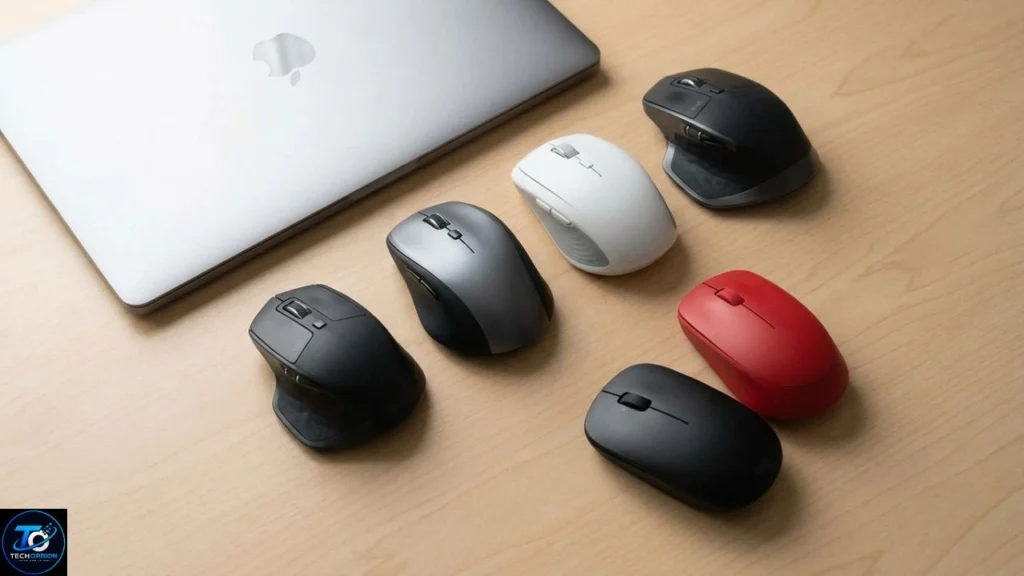
Check the Connection Type
First, decide whether you want Bluetooth or a USB receiver.
Bluetooth is useful when you want to save USB ports, especially on a laptop. A USB receiver can be a better option if you want a simple connection with a desktop PC.
Some advanced mice support both connection methods. These models can be useful if you regularly switch between a laptop and desktop computer.
Consider Comfort and Size
Comfort is extremely important. A mouse that feels good for five minutes may not feel good after several hours.
Think about the size of your hand and how you normally hold the mouse. Some people prefer a larger shape that supports the palm. Others like a smaller mouse that allows quick movement.
If possible, try the mouse in a store before buying it. Pay attention to whether your fingers sit naturally on the buttons and whether your wrist feels relaxed.
Look at Battery Life
Battery life can make a big difference. A mouse that needs frequent charging can become annoying.
Rechargeable models are convenient because you can charge them when the battery is low. Models using replaceable batteries can also last a long time, depending on the design and battery type.
Check the manufacturer’s battery-life claim, but remember that actual battery life can vary depending on usage.
Check DPI and Tracking
DPI means dots per inch. In simple terms, it describes how much the pointer moves when you move the mouse.
A higher DPI setting makes the pointer move farther with a smaller physical movement. Lower settings provide slower and more controlled movement.
For office work, web browsing, and school tasks, you do not need an extremely high DPI. Gamers and people working with detailed graphics may want more control over sensitivity.
Think About Extra Buttons
Basic mice normally have left and right buttons plus a scroll wheel. More advanced models may have additional side buttons.
Extra buttons can be useful for gaming, editing, or productivity. For example, you might program a side button to go back to the previous webpage.
However, extra buttons are not automatically better. If you never use them, they may only increase the price.
Choose According to Your Work
Your daily activities should guide your choice.
For school and basic work: Choose a simple, comfortable model with reliable tracking.
For office work: Look for comfort, quiet clicks, good battery life, and easy connectivity.
For travel: Choose a lightweight and compact model.
For gaming: Focus on sensor accuracy, wireless response, battery life, weight, and button quality.
For creative work: Look for accurate tracking, comfortable shape, adjustable sensitivity, and useful programmable buttons.
Wireless Mouse Tips, Common Problems, and Maintenance
Even a good mouse can develop problems if it is not used or maintained properly. A few simple habits can keep it working well for a long time.
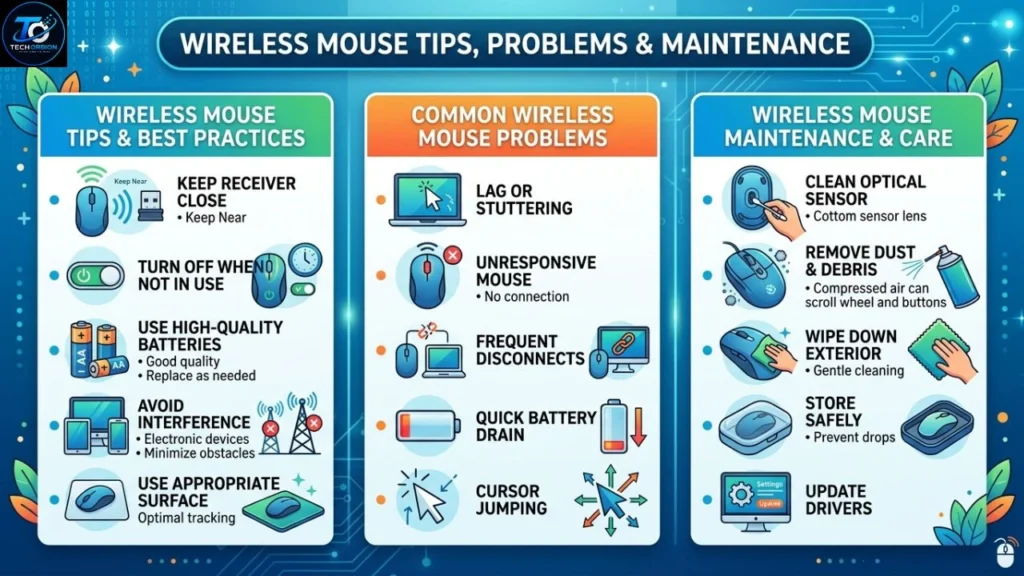
Keep the Sensor Clean
Dust and dirt can affect tracking. If the pointer starts moving strangely, turn off the mouse and gently clean the sensor area with a soft, dry cloth.
Also keep the surface underneath the mouse clean. A good mouse pad can provide smoother and more consistent tracking.
Keep Batteries Charged
If your mouse suddenly stops working, the battery should be one of the first things you check.
For rechargeable models, charge the mouse before the battery becomes completely empty if convenient. For replaceable-battery models, keep a spare set available if you rely on the mouse for work or school.
Common Mistakes to Avoid
Avoid buying a mouse only because it has a high DPI number. More DPI does not automatically mean better quality.
You should also avoid choosing a very small mouse for long work sessions simply because it is easy to carry.
Another mistake is ignoring compatibility. Always check whether your computer supports the connection method and operating system required by the mouse.
Expert Buying Tips
Before buying, ask yourself these questions:
- Will I use it mainly at home, work, school, or while traveling?
- Does my computer have Bluetooth?
- Do I have enough USB ports for a receiver?
- Do I prefer rechargeable or replaceable batteries?
- Is comfort more important than a low price?
- Do I need extra buttons?
- Will I use the mouse for gaming or normal work?
Answering these questions can help you avoid spending money on features you do not need.
Logitech offers a range of wireless mice designed for everyday work, productivity, and gaming.
Frequently Asked Questions
1. Is a wireless mouse better than a wired mouse?
Neither is always better. A wireless model provides freedom and a cleaner desk, while a wired mouse does not need batteries and can offer a simple plug-and-use experience.
2. Does a wireless mouse need Wi-Fi?
No. A wireless mouse normally uses Bluetooth or a dedicated wireless connection. It does not need your internet connection or Wi-Fi to work.
3. How long does a wireless mouse battery last?
Battery life depends on the model, battery type, usage, and power-saving features. Some models can run for months or even longer, while rechargeable models need periodic charging.
4. Can I use a wireless mouse with a laptop?
Yes. Most modern laptops can work with either Bluetooth mice or mice that use a USB receiver, depending on the available ports and compatibility.
5. Can a wireless mouse work without a mouse pad?
Yes. Many modern mice work on ordinary desks and other surfaces. However, a good mouse pad can provide smoother tracking and reduce surface friction.
6. Is Bluetooth better than a USB receiver?
It depends on your needs. Bluetooth can save USB ports, while a USB receiver may offer simple setup and broad compatibility. Some mice support both.
7. Are wireless mice good for gaming?
Yes. Modern gaming models can provide excellent speed and accuracy. For competitive gaming, look for a reliable wireless connection, accurate sensor, low weight, and good battery life.
8. Why does my wireless mouse keep disconnecting?
Possible causes include a low battery, wireless interference, a problem with the USB receiver, Bluetooth issues, or outdated device settings. Checking the battery and reconnecting the mouse are good first steps.
9. How do I clean a wireless mouse?
Turn it off first. Use a soft, dry cloth to clean the outside and carefully remove dust around the sensor and buttons. Avoid pouring liquid directly onto the mouse.
10. What is the best wireless mouse for everyday use?
The best choice is one that is comfortable, reliable, easy to connect, and has good battery life. You do not need expensive gaming features if you mainly browse the web, write documents, or study.
Conclusion
A wireless mouse can make your computer setup cleaner, easier to manage, and more comfortable to use. It removes the need for a cable and gives you more freedom to move the mouse around your workspace.
The best choice depends on how you use your computer. Bluetooth is useful for laptops and devices where USB ports are limited, while USB receiver models are convenient for many desktop setups. Comfort, battery life, sensor quality, size, and connection type are more important than simply choosing the model with the most features.
Before buying, think about your daily needs and budget. A simple mouse may be perfect for school and office work, while gamers and professionals may benefit from advanced controls and better sensors. Choosing based on real needs will help you get better value and a mouse you can comfortably use for years.
