

Introduction
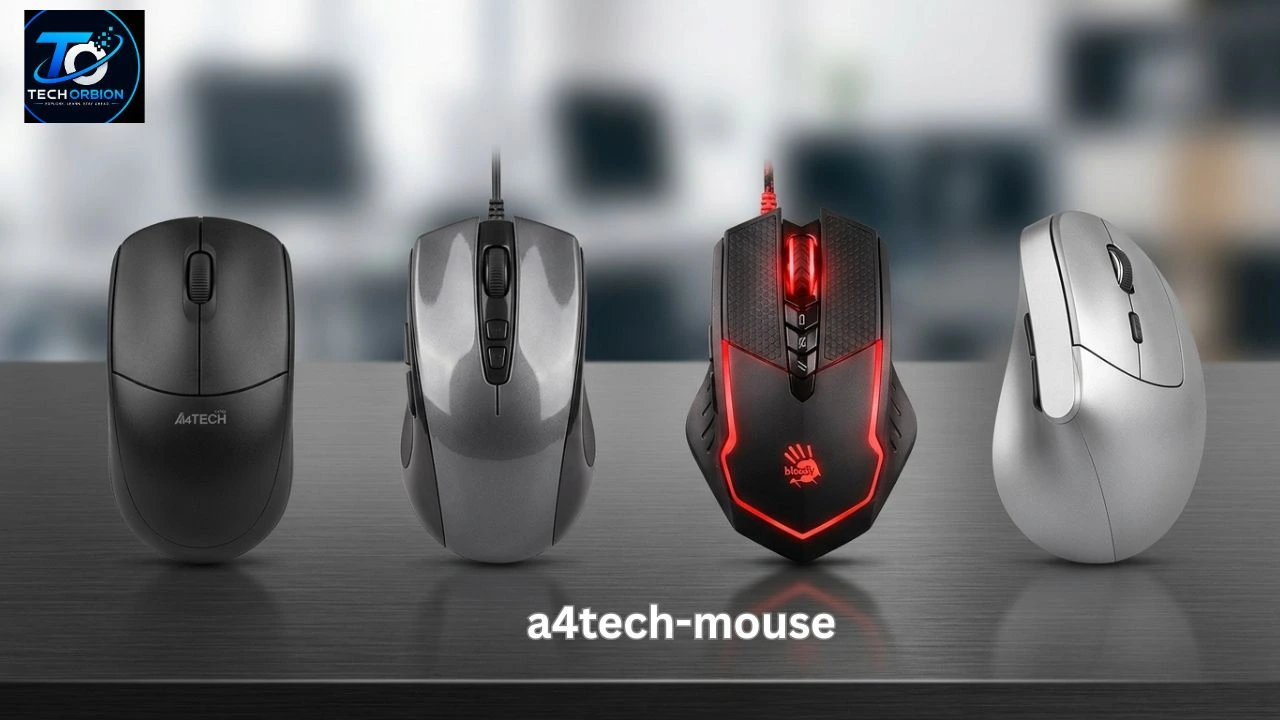
An A4Tech mouse can be a practical choice for people who need a reliable pointing device for a PC, laptop, office, study, or gaming setup. A4Tech has been making computer peripherals since 1987 and offers a wide range of mice, including wired, wireless, 2.4GHz, and Bluetooth models.
The right mouse can make everyday computer work much easier. It helps you move around websites, select files, edit documents, play games, and control software without frustration. However, not every mouse is designed for the same job.
Some A4Tech models are simple and affordable, while others offer wireless connectivity, higher DPI, silent buttons, special tracking technology, or gaming features. In this guide, we will explain the different types, important features, benefits and drawbacks, and the things you should check before buying one.
If you prefer a cable-free setup, a Wireless Mouse can provide more freedom and a cleaner desk.
Table of Contents
- What Is an A4Tech Mouse?
- Types and Features of A4Tech Mice
- A4Tech Mouse for Work, Study, and Gaming
- Benefits, Drawbacks, and Common Problems
- How to Choose the Right A4Tech Mouse
- Frequently Asked Questions
- Conclusion
What Is an A4Tech Mouse?
A4Tech is a computer-peripheral company that produces products such as mice, keyboards, webcams, headsets, speakers, and other PC accessories. The company says it was founded in 1987 and has developed technologies for computer peripherals over the years. Its product range includes both everyday computer accessories and gaming devices.
An A4Tech mouse is simply a computer mouse made by the company. The important point is that there is no single A4Tech mouse. The brand has many models designed for different users. Its current mouse range includes Bluetooth + 2.4G models, 2.4G wireless mice, and wired mice.
This gives buyers more choices. Someone who mainly works with documents may want a simple wired mouse. A laptop user may prefer a wireless model because it reduces cables. A gamer may need a mouse with faster tracking and extra buttons.
How a Computer Mouse Works
A modern optical mouse uses a sensor to detect movement across a surface. When you move the mouse, the sensor detects that movement and sends information to the computer.
The computer then moves the pointer on the screen. Buttons allow you to click, select, open, drag, or perform other commands. The scroll wheel makes it easier to move through long websites and documents.
A mouse may look simple, but small differences in its sensor, buttons, shape, connection, and software can have a big effect on how comfortable it feels.
What Does DPI Mean?
DPI stands for dots per inch. In simple terms, it describes how sensitive a mouse can be to movement.
A higher DPI setting can move the pointer farther across the screen with less physical movement. A lower setting gives you more controlled movement.
For everyday work, you usually do not need an extremely high DPI. For gaming or large high-resolution displays, having adjustable sensitivity can be useful.
It is important to remember that a higher DPI number does not automatically mean a better mouse. Sensor quality, accuracy, comfort, and software can matter just as much.
Types and Features of A4Tech Mice
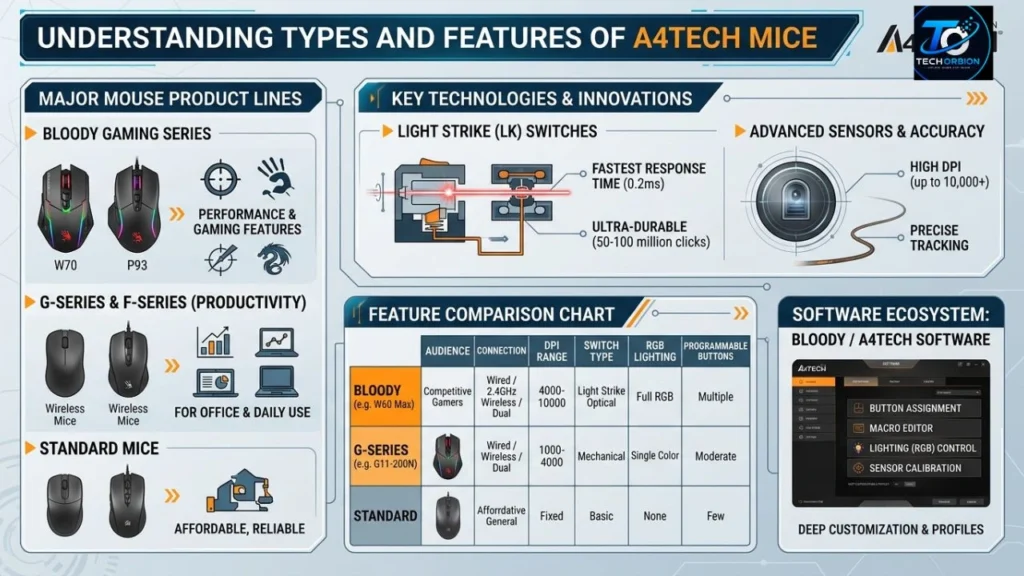
A4Tech offers several types of mice. Choosing the right type starts with understanding how each connection method works.
Wired A4Tech Mouse
A wired mouse connects directly to your computer, usually through USB. It does not need a battery, which makes it simple to use.
A wired model can be a good choice for an office computer, school setup, desktop PC, or gaming system. You plug it in and start using it.
The biggest disadvantage is the cable. It can make your desk look less tidy and may limit how far you can move the mouse.
Wireless A4Tech Mouse
Wireless models remove the need for a direct cable connection. A4Tech currently lists several 2.4GHz wireless mouse models, including products from its FG and G series.
A wireless mouse can make a laptop or desktop setup cleaner. It is also convenient if you regularly move your mouse between different locations.
The main thing to remember is battery life. Depending on the model, you may need to replace or recharge the batteries.
Bluetooth and Dual-Mode Mice
Some A4Tech mice support both Bluetooth and 2.4GHz wireless connections. The official product range includes models such as the FB50C Plus, FB45CS Air2, FB35C, FB26CS Air2, and other dual-mode products.
This type can be useful if you regularly switch between devices. For example, you could use one connection with a laptop and another with a desktop or compatible device.
However, you should check the exact model’s compatibility before buying. Not every computer supports the same connection methods.
Silent Mouse Models
A noisy mouse can become annoying in a quiet office, library, classroom, or bedroom. A4Tech also has models designed with quieter clicking.
For example, its product listings include wireless silent mice and wired silent mouse models.
Silent clicking does not necessarily mean completely silent operation. It simply means the button sound is designed to be reduced compared with a typical click.
Gaming Mice
Gaming mice are designed for people who want additional control and faster response. Depending on the model, they may provide higher sensitivity, extra buttons, customizable controls, specialized switches, or gaming software.
A4Tech also operates the Bloody gaming brand, which it says was created in 2011.
If you play competitive games, do not choose a mouse only because it has a high DPI number. Shape, weight, sensor performance, button placement, and comfort can have a bigger effect on your experience.
You can explore the latest A4Tech mouse models and their features on the company’s official website.
A4Tech Mouse for Work, Study, and Gaming
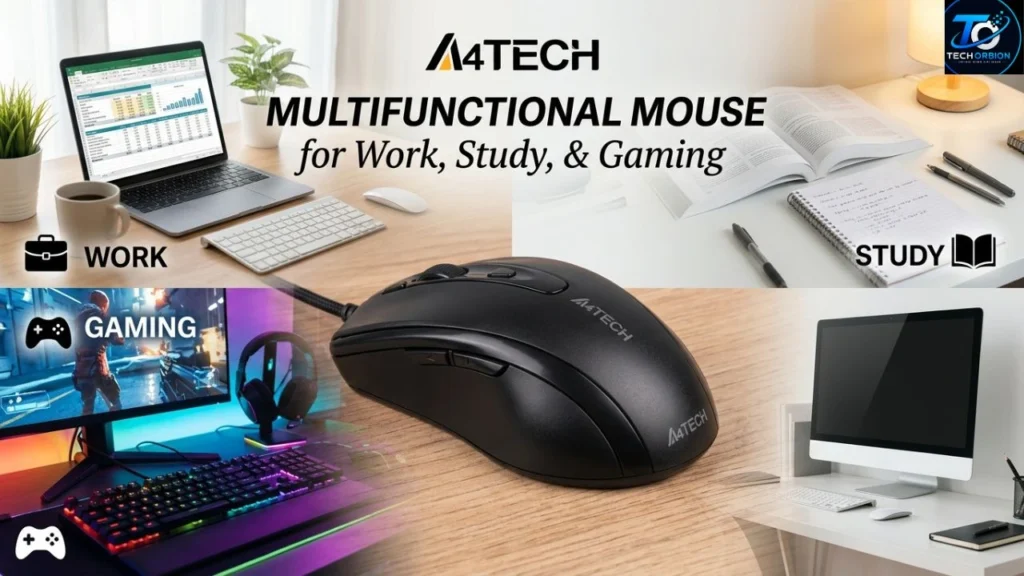
The best mouse depends on what you do every day. A mouse that is excellent for office work may not be ideal for competitive gaming.
For Office Work
For documents, email, browsing, spreadsheets, and basic software, comfort is usually more important than advanced gaming features.
A simple wired or wireless model can be enough. A comfortable shape can also reduce hand fatigue when you spend many hours at a computer.
If you work in a quiet environment, a silent-click model can be worth considering.
For Students
Students often need a mouse for browsing, online classes, presentations, documents, and school projects. A lightweight and affordable model is usually enough.
A wireless mouse can be convenient with a laptop because there is no cable running across the desk. However, a wired mouse can be easier if you do not want to think about batteries.
For Gaming
Gaming places different demands on a mouse. Fast movement, accurate aiming, comfortable grips, and easy access to additional buttons can be important.
Different games also benefit from different mouse designs. For example, a strategy game may benefit from several programmable buttons, while a first-person shooter may place greater importance on sensor accuracy and comfortable movement.
Quick Comparison
| Mouse Type | Best For | Main Advantage | Possible Drawback |
| Wired | Office, study, gaming | Simple and reliable | Cable |
| 2.4GHz wireless | Home and office | Cable-free setup | Battery required |
| Bluetooth | Laptops and compatible devices | No USB receiver needed | Device compatibility |
| Dual-mode | Multiple devices | Flexible connections | Usually more features to manage |
| Silent mouse | Quiet environments | Reduced click noise | Not completely silent |
| Gaming mouse | PC gaming | Extra control and features | Can cost more |
Benefits, Drawbacks, and Common Problems
An A4Tech mouse can offer several useful advantages, especially when you select a model that matches your needs.
Main Benefits
Wide range of choices: A4Tech offers mice across different connection types and price levels.
Wired and wireless options: You can choose between a traditional cable and wireless convenience.
Different designs: The range includes basic office mice, silent models, dual-mode products, and gaming-oriented devices.
Established peripheral brand: A4Tech has been producing computer peripherals for decades and maintains an official support and download section.
Useful features: Depending on the model, you may get adjustable DPI, wireless connectivity, silent buttons, extra controls, or other features.
Possible Drawbacks
Not every model will suit every person. A basic mouse may not have the features a gamer wants. A gaming mouse may also be unnecessary for someone who only browses the web.
Wireless models introduce another thing to manage: power. If the battery runs out at the wrong time, your work can be interrupted.
Another possible issue is size. A mouse that feels comfortable in one person’s hand may feel too small or too large for someone else.
Common Mouse Problems
If your mouse stops working properly, the problem may not always be the mouse itself.
Try these basic checks:
- Reconnect the USB cable or receiver.
- Try another USB port.
- Replace or recharge the battery if it is wireless.
- Clean the sensor area.
- Test the mouse on another computer.
- Check whether the correct driver or software is available.
- Check the manufacturer’s support page for your exact model.
A4Tech provides a driver and manual download section where users can select their mouse model. The company also notes that software is not available for every device.
How to Choose the Right A4Tech Mouse
Choosing a mouse should be based on how you will actually use it. Do not pay for features that you will never need.
1. Choose the Right Connection
If you want the simplest setup, choose a wired model. If you dislike cables, consider 2.4GHz wireless or Bluetooth.
If you frequently switch between devices, a dual-mode model may be more useful.
2. Check the Shape and Size
Comfort matters, especially if you use a computer for several hours every day.
Your hand should rest naturally on the mouse. Buttons should be easy to reach without stretching your fingers.
If possible, try the mouse before buying it. Pictures cannot always show how a mouse will feel in your hand.
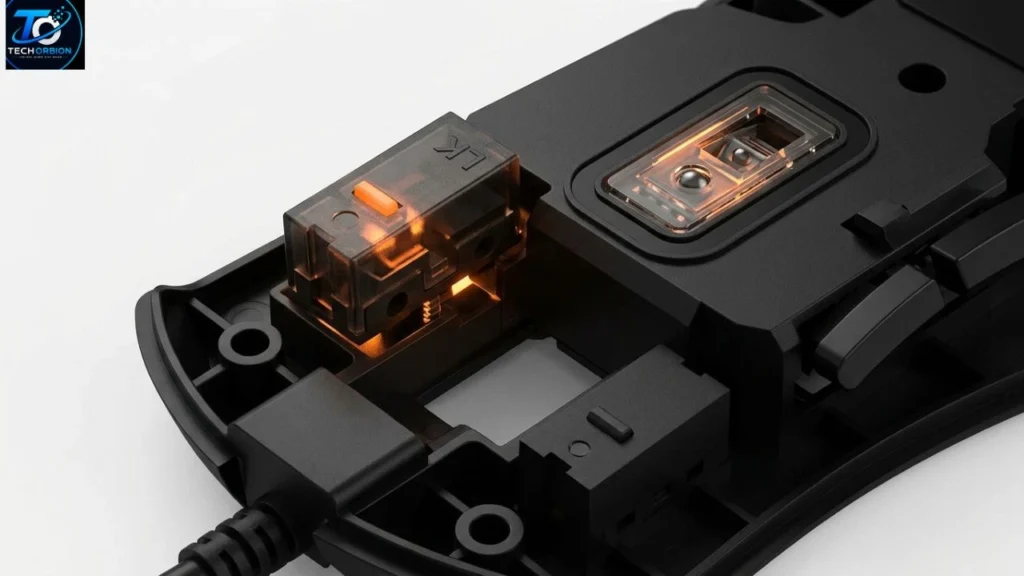
3. Consider DPI and Sensor Performance
Do not automatically choose the model with the highest DPI.
For general work, moderate sensitivity is usually enough. Gamers may want adjustable DPI so they can change sensitivity for different games.
4. Think About Extra Buttons
Extra buttons can be useful for gaming, editing, browsing, or productivity. However, more buttons can also make a mouse feel complicated.
For basic computer work, two main buttons and a scroll wheel may be all you need.
5. Check Software Support
Some advanced mice work with software that lets users change settings or customize buttons.
Before purchasing, check whether the exact model has software or driver support. A4Tech provides an official download page for model-specific drivers and manuals.
Expert Buying Advice
The most expensive mouse is not always the best mouse for you.
If you are comparing different brands before buying, you can also check our guide to Logitech Mouse to compare features, designs, and use cases.
A good buying decision should balance:
- Comfort
- Connection type
- Sensor quality
- DPI range
- Button layout
- Battery life
- Software support
- Price
- Your actual computer needs
For example, if you spend eight hours each day working with documents, comfort may be more valuable than gaming features. If you play competitive shooters every evening, sensor performance and shape may matter more.
The best mouse is the one that fits your hand, works with your computer, and provides the features you actually use.
10 Frequently Asked Questions About A4Tech Mouse
1. Is A4Tech a good mouse brand?
A4Tech is an established computer-peripheral manufacturer founded in 1987. It offers mice for everyday computing, wireless use, and gaming.
2. Are A4Tech mice good for gaming?
Some A4Tech products are suitable for gaming, while the company’s Bloody brand focuses specifically on gaming devices. The best choice depends on the game and model.
3. Is an A4Tech wireless mouse worth buying?
A wireless model can be useful if you want a cleaner desk or frequently move your mouse between locations. Check battery requirements before buying.
4. Does A4Tech make Bluetooth mice?
Yes. A4Tech’s current product range includes Bluetooth + 2.4GHz dual-mode mice.
5. What DPI is best for an A4Tech mouse?
There is no single best DPI. A moderate setting is usually enough for everyday work, while gamers may prefer adjustable sensitivity.
6. Can an A4Tech mouse work with a laptop?
Many A4Tech mice can work with laptops, but the connection method varies by model. Check whether your laptop supports USB, Bluetooth, or the required wireless receiver.
7. Do A4Tech wireless mice need batteries?
Many wireless models require power, but the exact battery or charging method depends on the model. Always check the specifications before purchase.
8. Where can I find A4Tech mouse drivers?
A4Tech provides an official driver and manual download page where you can search for your specific model.
9. Are silent A4Tech mice completely silent?
No. Silent models are designed to reduce clicking noise, but they are not necessarily completely silent.
10. How do I choose the best A4Tech mouse?
Start with your main use. Then compare connection type, comfort, sensor performance, DPI, buttons, battery requirements, software support, and price.
Conclusion
An A4Tech mouse can be a sensible choice for many types of computer users. The company offers a broad range of products, from simple wired mice to wireless, Bluetooth, dual-mode, silent, and gaming models.
The most important thing is not choosing the mouse with the longest feature list. Instead, choose one that matches your computer, your work, your games, and the way you hold a mouse.
For everyday browsing and office work, a simple and comfortable model may be all you need. Laptop users may prefer wireless or Bluetooth connectivity, while gamers may benefit from more advanced controls.
Before buying, check compatibility, size, connection type, sensor performance, battery requirements, and software support. With those factors in mind, finding the right A4Tech mouse becomes much easier.
