

Meta Description
Discover the key differences between PyCharm Community vs Professional in this simple 2026 guide. Learn which version is best for beginners, students, and professional developers based on features, performance, and real-world use cases.
Introduction
PyCharm Community vs Professional is one of the most searched comparisons among Python developers in 2026, especially beginners who are confused about which version to choose. PyCharm Community Edition is a free and lightweight version designed mainly for basic Python development. It includes essential features like smart code completion, syntax highlighting, debugging, and project navigation, making it perfect for students, beginners, and small Python projects.
However, it lacks advanced tools such as database support, web development frameworks, and professional-level tools for large-scale applications. On the other hand, PyCharm Professional Edition is a paid and more powerful version built for professional developers and enterprises. It supports advanced web frameworks like Django and Flask, includes built-in database tools, remote development capabilities, and better support for scientific and full-stack development.
PyCharm Community vs Professional It also offers smarter code analysis, advanced debugging, and productivity tools that significantly improve workflow efficiency. The key difference between the two versions is basically the level of development power and tools provided. If you are just starting your programming journey, Community Edition is more than enough, but if you are working on professional projects or want advanced features, then Professional Edition is the better choice. In short, the choice depends on your skill level and project requirements.
What is PyCharm?
PyCharm is a powerful and widely used Integrated Development Environment (IDE) designed specifically for Python programming. It is developed by JetBrains and helps developers write, test, and debug code more efficiently in one place. PyCharm comes with smart features like code completion, error detection, and quick navigation, which make coding faster and easier, especially for beginners. It also includes built-in tools for running and debugging Python applications, so you don’t need to install multiple separate programs. One of the biggest advantages of PyCharm is its ability to support large and complex projects while keeping the code organized and manageable. It also integrates with version control systems like Git, making teamwork and project management smoother. PyCharm is available in two versions: Community (free) and Professional (paid with advanced features). Overall, PyCharm is a complete solution for Python developers who want a productive, clean, and efficient coding environment for building real-world applications.
PyCharm Community Edition (Free Version)
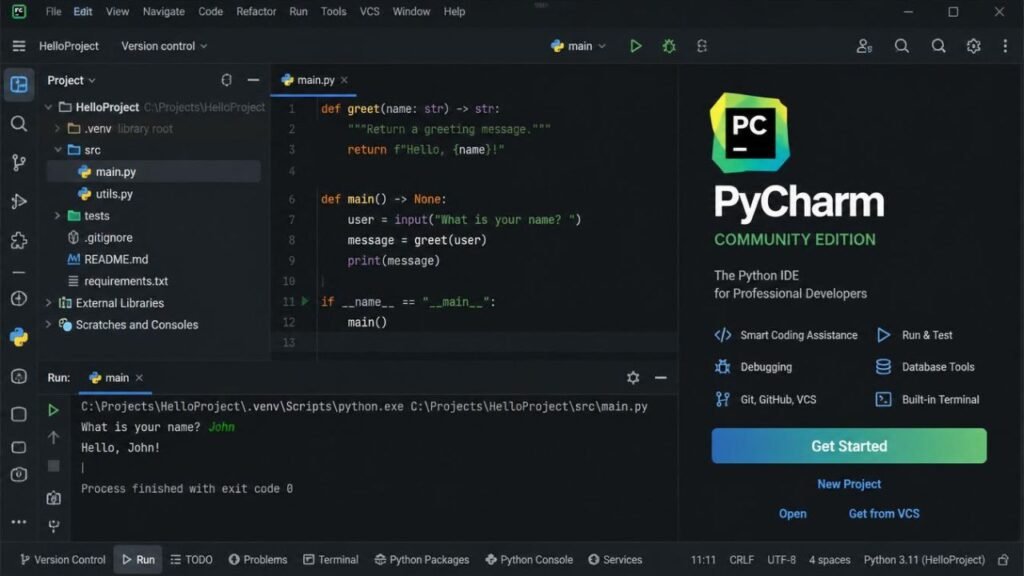
PyCharm Community Edition (Free Version) is a popular, free-to-use Integrated Development Environment (IDE) designed for Python developers who need a simple and efficient coding platform. It is especially useful for beginners, students, and hobby programmers who are learning Python or working on small projects. Despite being free, it offers many essential features such as smart code completion, syntax highlighting, error detection, code navigation, and a built-in debugger, which help improve coding speed and accuracy. PyCharm Community vs Professional The interface is clean and easy to understand, making it suitable for users who are just starting their programming journey. PyCharm Community Edition supports only core Python development, so it does not include advanced tools like web frameworks (Django, Flask), database management, or remote development features that are available in the Professional version. However, for learning and basic development, it performs very well and runs smoothly even on low-end computers. Overall, it is a reliable and beginner-friendly IDE for Python coding.
PyCharm Professional Edition (Paid Version)
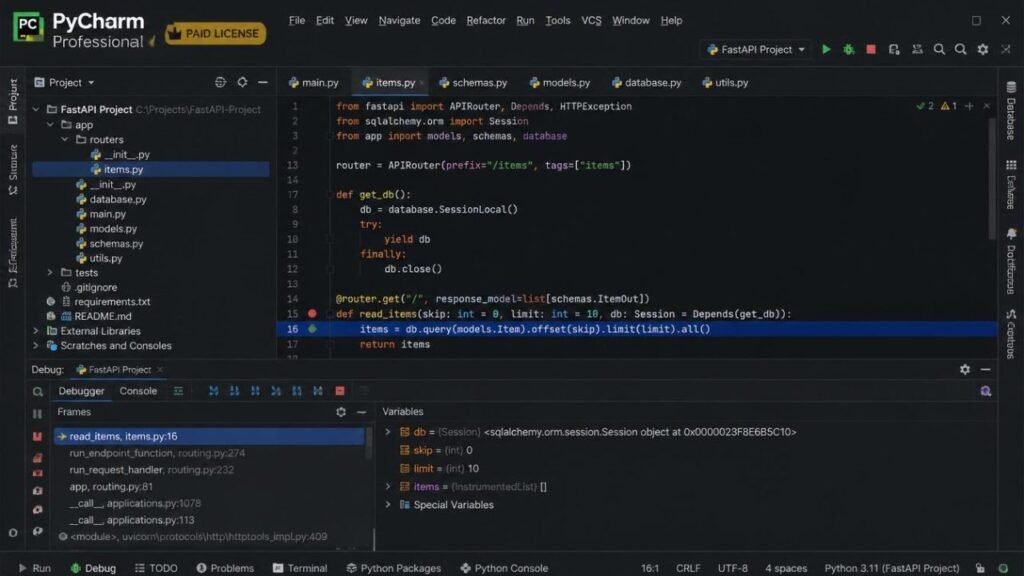
PyCharm Professional Edition (Paid Version) is the advanced and fully-featured version of the PyCharm IDE, designed for professional developers, software engineers, and teams working on complex and large-scale projects.PyCharm Community vs Professional It is developed by JetBrains and offers everything needed for full-stack development in one powerful environment. Unlike the Community Edition, the Professional version supports advanced web frameworks such as Django, Flask, and FastAPI, making it ideal for building modern web applications. It also includes built-in database tools, SQL support, remote development capabilities, and advanced debugging features that help developers manage projects more efficiently. Another key advantage is its smart code analysis and deep project understanding, which helps in detecting errors early and improving overall code quality. PyCharm Professional also integrates smoothly with version control systems like Git and supports scientific tools used in data science and machine learning workflows. Although it is a paid tool, it provides high value for professionals who need speed, scalability, and productivity in their daily work. In short, PyCharm Professional Edition is a complete, powerful, and industry-level IDE that is best suited for serious developers and production-level software development projects.
Key Differences Between Community and Professional (2026 Comparison)
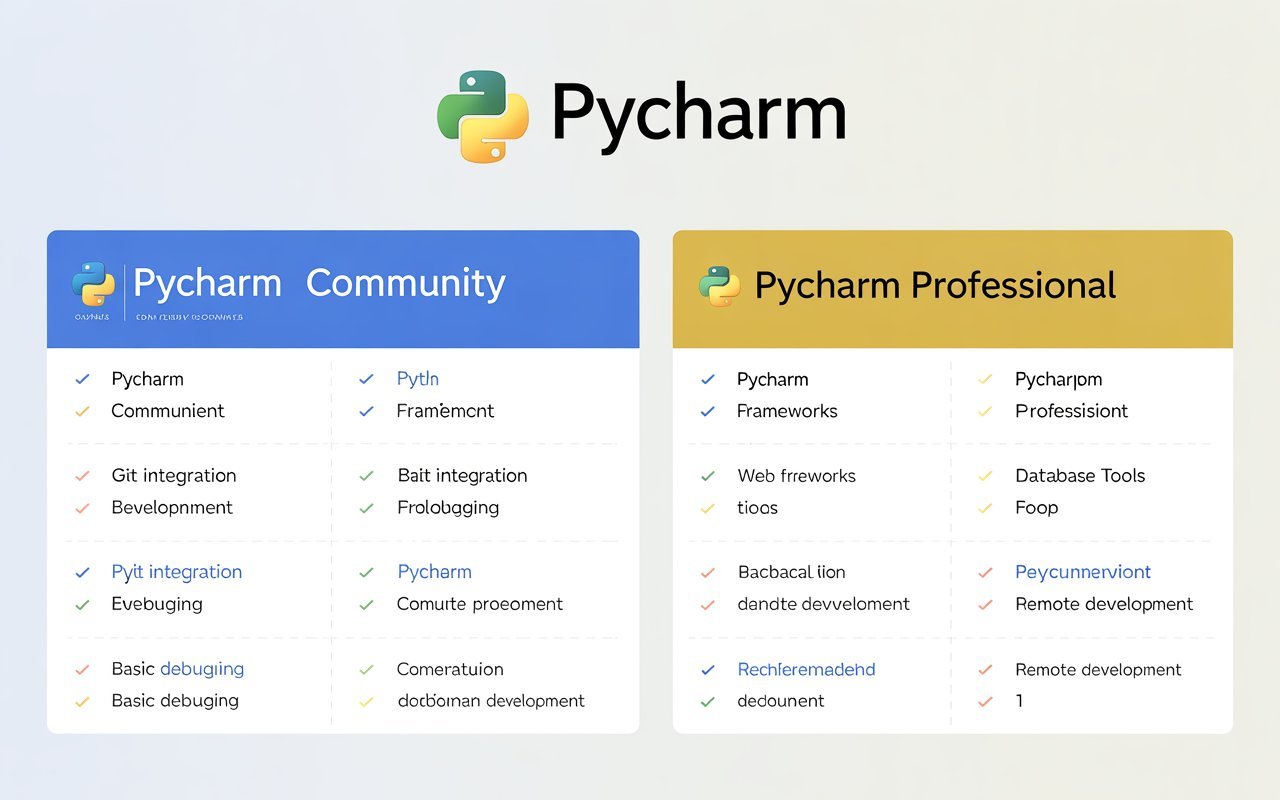
PyCharm Community vs Professional Key Differences Between Community and Professional (2026 Comparison) mainly come down to features, usage level, and target users. PyCharm Community Edition is a free version that focuses on basic Python development, making it ideal for beginners, students, and small projects. It includes essential tools like code completion, debugging, and syntax highlighting but lacks advanced capabilities. On the other hand, PyCharm Professional Edition is a paid version designed for professional developers and large-scale applications. It supports web frameworks like Django and Flask, database management, remote development, and advanced debugging tools. Another major difference is that the Professional version offers better productivity features, smarter code analysis, and full-stack development support, while the Community version is limited to core Python only. PyCharm Community vs Professional Performance-wise, both are stable, but Professional provides a more powerful and complete development environment. In short, Community is best for learning and basic coding, while Professional is built for advanced, real-world software development projects.
Real-Life Example (Easy Understanding)
PyCharm Community vs Professional Real-Life Example (Easy Understanding) helps to clearly understand the difference between PyCharm Community and Professional in a practical way. Imagine a student who is learning Python for the first time; they can easily use the Community Edition to write simple programs like calculators, small games, or basic scripts without needing advanced tools. Now think about a professional developer working on a large website for an online store. PyCharm Community vs Professional That developer will need the Professional Edition because it supports frameworks like Django, database management, and advanced debugging features. This real-life comparison shows that Community Edition is perfect for learning and practice, while Professional Edition is built for real-world, complex software development projects.
Performance Comparison:
PyCharm Community vs Professional Performance Comparison shows that both PyCharm Community and Professional editions are built on the same core engine, so their basic speed and stability are quite similar. However, performance can feel different depending on the type of project you are working on. PyCharm Community Edition usually runs faster on low-end systems because it has fewer background features and is more lightweight. On the other hand, PyCharm Professional Edition may use slightly more system resources due to its advanced tools like database integration, web framework support, and remote development features. While this can make it feel heavier on weaker PCs, it provides a much more powerful and feature-rich environment for complex projects. PyCharm Community vs Professional In short, Community is lighter, while Professional is more powerful but resource-intensive.
Pricing Comparison

PyCharm Community vs Professional Pricing Comparison shows a clear difference between PyCharm Community and Professional editions. PyCharm Community Edition is completely free to use, making it an excellent choice for students, beginners, and developers who want to start learning Python without any cost. It provides all the essential tools needed for basic coding and small projects. On the other hand, PyCharm Professional Edition is a paid version that requires a subscription. The pricing depends on the plan (monthly or yearly) and is mainly targeted at professional developers, companies, and advanced users who need full-stack development features. While it may seem expensive for beginners, it offers advanced tools like web frameworks, databases, and remote development that justify the cost for professional use. PyCharm Community vs Professional In short, Community is free, while Professional is a premium investment for serious development work.
Future of PyCharm (2026 and Beyond)
PyCharm Community vs Professional The future of PyCharm (2026 and Beyond) is expected to be highly advanced as technology continues to evolve. JetBrains is focusing on making PyCharm smarter, faster, and more efficient with AI-powered coding assistance, improved performance, and better cloud integration. In the future, developers may experience more automation in coding tasks, instant error fixing, and enhanced collaboration tools for team projects. PyCharm is also likely to expand its support for data science, machine learning, and modern web development frameworks, making it a complete all-in-one development environment. PyCharm Community vs Professional The Community Edition will remain a strong free option for learners, while the Professional Edition will continue to target enterprise-level and advanced users. Overall, PyCharm’s future is centered around innovation, productivity, and simplifying complex development workflows for all types of programmers.
Final Verdict
PyCharm Community vs Professional Final Verdict on PyCharm Community vs Professional is that both editions are excellent, but they serve different types of users. If you are a beginner, student, or someone learning Python for the first time, the Community Edition is more than enough to start your coding journey. It is free, simple, and provides all the basic tools needed for practice and small projects. However, if you are a professional developer or working on advanced applications, the Professional Edition is the better choice because it offers powerful features like web framework support, database tools, and advanced debugging. It improves productivity and makes large-scale development much easier. PyCharm Community vs Professional In short, your choice depends on your goals and experience level. Community is perfect for learning, while Professional is built for real-world, professional development work.
FAQS
1. What is PyCharm used for?
PyCharm is used for Python programming, including writing, testing, and debugging code in a professional development environment.
2. Is PyCharm free to use?
Yes, PyCharm Community Edition is free, while the Professional Edition is paid.
3. What is the difference between Community and Professional versions?
Community is for basic Python development, while Professional includes advanced features like web frameworks and database tools.
4. Which PyCharm version is best for beginners?
The Community Edition is best for beginners due to its simplicity and free access.
5. Does PyCharm support Django and Flask?
Yes, but only the Professional Edition supports Django, Flask, and other web frameworks.
6. Is PyCharm good for low-end PCs?
Yes, Community Edition runs better on low-end PCs because it is lightweight.
7. Can I use PyCharm for data science?
Yes, but full data science support is available in the Professional Edition.
8. Is PyCharm better than VS Code?
It depends on user needs; PyCharm is more feature-rich, while VS Code is lighter and more flexible.
9. Do professionals use PyCharm?
Yes, many professional developers use the Professional Edition for large projects.
10. Is PyCharm worth learning in 2026?
Yes, PyCharm is still one of the best IDEs for Python development in 2026.
