

Meta Title:
Nmap: The Ultimate Network Scanning Guide (2026)
Meta Description
Nmap is the ultimate network scanning tool. Learn port scanning, host discovery, Nmap commands, installation, and cybersecurity in this complete beginner-friendly guide.
Nmap: Complete Beginner’s Guide (2026)
Introduction
Nmap is the gold standard for network scanning and one of the most essential tools in modern cybersecurity. Whether you’re an aspiring ethical hacker, a network administrator, a penetration tester, or a cybersecurity student, mastering Nmap can help you identify active devices, discover open ports, detect running services, and uncover potential security vulnerabilities before they become serious threats. As a free, open-source, and cross-platform utility, Nmap has earned the trust of millions of IT professionals worldwide.
What makes Nmap truly powerful is its ability to provide detailed insights into a network with speed and accuracy. From simple host discovery to advanced operating system detection, service version identification, firewall analysis, and automated security checks using the Nmap Scripting Engine (NSE), it offers everything needed to perform professional network reconnaissance and security assessments. Whether you use Windows, Linux, or macOS, Nmap delivers reliable results for both small home networks and large enterprise environments.
In this comprehensive guide, you’ll learn what Nmap is, how it works, how to install it, the best Nmap commands, practical scanning techniques, and real-world cybersecurity applications. By the end of this article, you’ll have a solid understanding of how to use Nmap effectively, improve your network security skills, and take the first step toward becoming a confident cybersecurity professional.
What Is Nmap?
Nmap, short for Network Mapper, is an open-source network scanning and security auditing tool designed to discover devices and services on a network. It enables users to map network infrastructure, identify active hosts, detect open ports, determine running services, and gather valuable information about connected systems. Because of its speed, flexibility, and reliability, Nmap is widely used by cybersecurity professionals, IT administrators, ethical hackers, and penetration testers.
Unlike basic network utilities, Nmap offers advanced scanning techniques that help users understand the security posture of a network. It supports TCP and UDP scanning, operating system detection, service version detection, firewall analysis, and script-based vulnerability assessment. These capabilities make Nmap an essential tool for network reconnaissance, vulnerability assessment, and security auditing.
Another advantage of Nmap is its cross-platform compatibility. It runs smoothly on Windows, Linux, macOS, and several Unix-based systems. Whether you are managing enterprise infrastructure or learning cybersecurity in a home lab, Nmap provides the tools needed to analyze networks efficiently.
As an open-source project, Nmap receives continuous improvements from developers and the global cybersecurity community. Regular updates ensure compatibility with modern operating systems, networking protocols, and emerging security challenges.
History of Nmap
Nmap was first released in 1997 as a simple network scanning utility created to help administrators discover hosts and open ports. At a time when network security tools were limited, Nmap quickly gained popularity because of its speed, accuracy, and powerful scanning capabilities.
Over the years, Nmap has evolved from a basic port scanner into a comprehensive network security platform. New features such as operating system detection, service version identification, advanced scan types, IPv6 support, and the Nmap Scripting Engine (NSE) have transformed it into one of the most respected tools in the cybersecurity community. Today, Nmap is used worldwide by organizations, security professionals, researchers, and educational institutions.
Who Created Nmap?
Nmap was created by Gordon Lyon, widely known by his online alias Fyodor. A respected cybersecurity researcher and software developer, Fyodor designed Nmap to simplify network discovery and improve security testing practices. His work has significantly influenced the fields of penetration testing, network administration, and ethical hacking.
Under Fyodor’s leadership and with contributions from the global open-source community, Nmap has continued to evolve for more than two decades. It remains actively maintained, with regular feature enhancements, security improvements, and compatibility updates. The project’s strong community support has helped Nmap remain the industry standard for network scanning and security auditing.
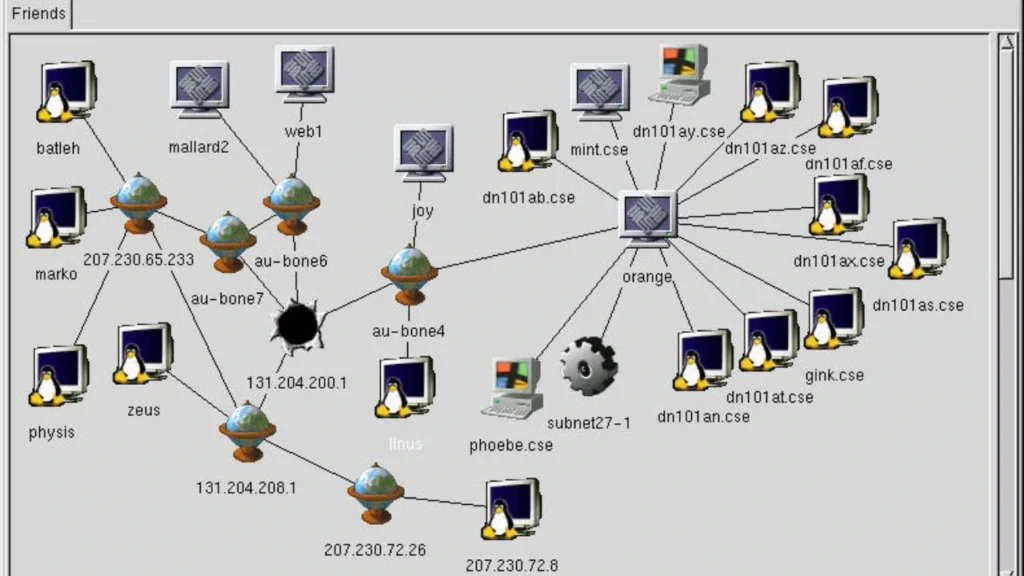
Beyond the command-line tool, the Nmap project also includes related utilities such as Zenmap, a graphical interface that makes network scanning more accessible for beginners, and the Nmap Scripting Engine (NSE), which extends Nmap’s capabilities through customizable scripts for automation, vulnerability detection, and advanced security testing.
Features of Nmap
One of the main reasons Nmap has become the industry standard for network scanning is its powerful feature set. From identifying active hosts to detecting operating systems and running services, Nmap provides everything needed to understand and assess a network’s security posture. It is trusted by cybersecurity professionals, ethical hackers, penetration testers, and network administrators because it combines speed, flexibility, and accuracy in a single open-source tool.
Whether you are performing a basic network scan or conducting an advanced security assessment, Nmap offers a wide range of scanning techniques that help identify vulnerabilities before attackers can exploit them. Its support for Windows, Linux, and macOS makes it suitable for organizations of all sizes, while its command-line interface and scripting capabilities provide complete control over every scan.
Port Scanning
Port scanning is one of the core features of Nmap. Every device connected to a network uses ports to communicate with applications and services. Nmap scans these ports to determine which ones are open, closed, or filtered. This information helps administrators understand what services are running and whether unnecessary ports could expose the system to security risks.
By identifying open ports, organizations can strengthen their security by disabling unused services, updating vulnerable software, and improving firewall configurations. Port scanning is often the first step in network reconnaissance and penetration testing because it provides valuable insight into the target environment.
Host Discovery
Host discovery allows Nmap to identify which devices are currently active on a network. Instead of scanning every possible IP address in detail, Nmap first determines which systems are online, saving time and improving scan efficiency.
This feature is especially useful for network administrators managing large infrastructures. It helps create an accurate inventory of connected devices, detect unauthorized systems, and monitor changes within the network. During cybersecurity assessments, host discovery provides the foundation for further security testing.
OS Detection
Nmap can identify the operating system running on a target device by analyzing its responses to specially crafted network packets. This process, known as operating system fingerprinting, helps determine whether a device is running Windows, Linux, macOS, or another operating system.
Operating system detection is valuable because different systems have different security configurations and vulnerabilities. Knowing the operating system allows security professionals to perform more accurate assessments and recommend appropriate security improvements.
Service Version Detection
In addition to identifying open ports, Nmap can determine which services are running on those ports and identify their versions. For example, it can detect web servers, FTP services, SSH servers, DNS services, and database applications.
Service version detection helps administrators identify outdated software that may contain known security vulnerabilities. Keeping services updated is an important part of maintaining a secure network infrastructure and reducing cybersecurity risks.
Nmap Scripting Engine (NSE)

The Nmap Scripting Engine (NSE) is one of the most advanced features included with Nmap. It allows users to automate network discovery, vulnerability detection, service enumeration, and many other security tasks using a large collection of scripts.
NSE scripts can perform a variety of functions, including checking for common vulnerabilities, gathering additional information about network services, auditing configurations, and simplifying repetitive security tasks. This makes Nmap far more than a simple port scanner—it becomes a powerful security assessment platform suitable for professional penetration testing and network auditing.
Why Use Nmap?
Nmap is used by millions of professionals worldwide because it simplifies network discovery, security auditing, and vulnerability assessment. Instead of relying on multiple tools to understand a network, users can gather detailed information using a single application. This saves time, improves efficiency, and helps organizations maintain stronger cybersecurity defenses.
For beginners, Nmap provides an excellent introduction to networking and cybersecurity concepts such as IP addressing, open ports, TCP/IP communication, service detection, and network reconnaissance. For experienced professionals, it remains an indispensable tool for identifying security weaknesses and verifying network configurations.
Network Administration
Network administrators use Nmap to monitor network infrastructure, discover connected devices, and verify that critical services are operating correctly. Regular network scans help identify configuration problems, detect unauthorized devices, and ensure that systems remain available and secure.
Nmap also supports routine maintenance by helping administrators confirm firewall rules, monitor service availability, and document changes within enterprise networks. These capabilities make it an essential tool for maintaining reliable and secure IT environments.
Cybersecurity
Cybersecurity professionals rely on Nmap to evaluate the security of computer networks before attackers can exploit vulnerabilities. By identifying open ports, active hosts, outdated services, and potential security weaknesses, Nmap helps organizations strengthen their defenses against cyber threats.
Nmap is commonly used during security audits, compliance assessments, incident response, and vulnerability management programs. Its detailed scan results provide valuable information that supports better security decision-making and risk reduction.
Ethical Hacking
Ethical hackers use Nmap during the reconnaissance phase of penetration testing to gather information about authorized target systems. Understanding which devices are online, what services are running, and which operating systems are in use helps create an effective security assessment strategy.
It is important to remember that ethical hacking requires explicit permission from the system owner. Nmap should only be used on systems and networks that you are authorized to test. Responsible and legal use ensures that security assessments contribute to stronger cybersecurity rather than unauthorized access.
Penetration Testing
Penetration testing involves simulating real-world cyberattacks to identify and validate security vulnerabilities before malicious actors can exploit them. Nmap plays a critical role in this process by providing accurate information about network topology, exposed services, and potential attack surfaces.
When combined with other cybersecurity tools, Nmap helps penetration testers build a complete picture of a target environment. Its flexibility, speed, and reliability make it one of the first tools used during nearly every professional security assessment, making it an essential skill for anyone pursuing a career in cybersecurity.
Nmap System Requirements
Before installing Nmap, it is important to ensure that your computer meets the necessary system requirements. The good news is that Nmap is a lightweight, open-source network scanning tool that does not require high-end hardware. Whether you are using Windows, Linux, or macOS, Nmap runs efficiently on most modern computers, making it an excellent choice for beginners, network administrators, cybersecurity professionals, and penetration testers.
Unlike resource-intensive security applications, Nmap primarily relies on your computer’s processing power and network connection rather than graphics performance. However, when performing large-scale network scans or using advanced features like the Nmap Scripting Engine (NSE), having additional memory and a faster processor can improve scanning speed and overall performance.
Windows Requirements
Nmap fully supports Microsoft Windows and is compatible with both desktop and server editions. It works on Windows 10, Windows 11, and recent versions of Windows Server.
Recommended Windows requirements include:
- 64-bit Windows 10 or Windows 11
- Intel Core i3 processor or higher
- At least 4 GB RAM
- 200 MB of free disk space
- Administrator privileges for advanced scans
- Stable internet connection for updates and documentation
Windows users can also install Zenmap, the graphical interface for Nmap, which makes network scanning easier for beginners who prefer not to use the command line.
Linux Requirements
Nmap performs exceptionally well on Linux distributions and is commonly used on systems such as Ubuntu, Debian, Fedora, Arch Linux, and Kali Linux. Because Linux provides powerful command-line capabilities, many cybersecurity professionals prefer running Nmap in a Linux environment.
Recommended Linux requirements include:
- Modern Linux distribution
- Dual-core processor or better
- Minimum 2 GB RAM (4 GB recommended)
- Around 200 MB of free storage
- Root or sudo access for advanced scanning features
- Active network connection
Linux users can install Nmap using their distribution’s package manager, making the installation process fast and straightforward.
macOS Requirements
Nmap also supports Apple’s macOS, allowing network administrators and cybersecurity professionals to perform security assessments directly from their Mac computers.
Recommended macOS requirements include:
- Recent version of macOS
- Intel or Apple Silicon processor
- Minimum 4 GB RAM
- 200 MB of available storage
- Terminal access
- Administrator permissions for certain scan types
Because Nmap is cross-platform, users can perform similar scans and use the same commands regardless of the operating system they choose.
How to Install Nmap
Installing Nmap is simple and usually takes only a few minutes. Since it supports Windows, Linux, and macOS, users can choose the installation method that matches their operating system. Once installed, Nmap can be used through the command-line interface, while Windows users can optionally install Zenmap for a graphical experience.
Before beginning the installation, ensure that your system is updated and that you have administrator privileges if required. After installation, it is recommended to verify the installation by checking the installed version from the terminal or command prompt.
Install Nmap on Windows
Windows users can install Nmap using the official installer. The installation wizard automatically copies the required files, configures the application, and optionally installs Zenmap.
General installation steps:
- Download the latest Nmap installer.
- Run the installation file as an administrator.
- Accept the license agreement.
- Choose the installation location.
- Select optional components such as Zenmap.
- Complete the installation process.
- Open Command Prompt or Zenmap.
- Verify that Nmap is installed successfully.
After installation, beginners can start with simple host discovery and port scanning commands before moving on to advanced network reconnaissance.
Install Nmap on Linux
Installing Nmap on Linux is usually even easier because most Linux distributions include Nmap in their official software repositories.
The typical installation process involves:
- Updating the package repository.
- Installing the Nmap package using the system’s package manager.
- Verifying the installation.
- Running a basic network scan to confirm proper operation.
Linux users benefit from seamless integration with the terminal, making it easy to automate scans, create scripts, and combine Nmap with other cybersecurity tools.
Install Nmap on macOS

macOS users can install Nmap using package management tools or the official installation package. Once installed, Nmap can be accessed through the Terminal application.
The installation process generally includes:
- Downloading the installation package.
- Running the installer.
- Granting administrator permissions if requested.
- Opening Terminal.
- Confirming the installation by checking the installed version.
After installation, Mac users can immediately begin scanning local networks, identifying active hosts, and practicing network reconnaissance.
Tips After Installation
After successfully installing Nmap, there are a few best practices that can improve your learning experience and help you perform network scans more efficiently:
- Learn the basic Nmap commands before using advanced scan types.
- Practice in a home lab or virtual environment to gain hands-on experience safely.
- Keep Nmap updated to benefit from the latest features and security improvements.
- Read scan results carefully to understand open ports, running services, and operating system detection.
- Explore the Nmap Scripting Engine (NSE) once you are comfortable with basic network scanning.
- Always perform scans only on systems and networks that you own or have explicit permission to test.
By following these recommendations, beginners can build a strong foundation in network scanning while experienced professionals can use Nmap as part of comprehensive cybersecurity assessments. Proper installation and regular practice will help you master one of the most valuable tools in network security and ethical hacking.
Best Nmap Commands
One of the reasons Nmap is considered the industry-standard network scanner is its wide range of powerful commands. These commands allow users to perform everything from simple host discovery to advanced network reconnaissance, service detection, and operating system fingerprinting. Whether you are a beginner learning network security or a professional conducting penetration testing, understanding the most useful Nmap commands is essential.
Each command serves a specific purpose and provides valuable information about a target system. As you gain experience, you can combine multiple options to perform comprehensive security assessments while maintaining accuracy and efficiency.
Beginners can explore the complete list of commands in the official documentation.Nmap documentation
Ping Scan
A Ping Scan is used to identify which hosts on a network are online without performing a full port scan. It is one of the fastest ways to discover active devices before conducting more detailed analysis.
This scan is particularly useful for network administrators who want to create an inventory of active systems or verify network connectivity. Because it minimizes unnecessary scanning, it saves time when working with large networks.
TCP Connect Scan
The TCP Connect Scan establishes a full TCP connection with the target system. It is reliable and works well when administrative privileges are unavailable.
Although slightly slower than other scanning methods, this scan provides accurate information about open ports and is supported across multiple operating systems.
SYN Scan
The SYN Scan, often called a “half-open scan,” is one of the most commonly used Nmap scanning techniques. Instead of completing the entire TCP handshake, it analyzes the target’s response to determine whether a port is open.
Because it is faster and generates less network traffic than a full TCP connection, security professionals frequently use SYN scans during penetration testing and network reconnaissance.
UDP Scan
Many important network services operate over the User Datagram Protocol (UDP), making UDP scanning essential during security assessments.
Nmap can identify open UDP ports used by services such as DNS, DHCP, SNMP, and VPN applications. Since UDP does not establish connections like TCP, these scans often take longer but provide valuable information about network services.
Service Detection
Service detection allows Nmap to determine which applications are running on open ports. Instead of simply identifying that a port is open, it can recognize services such as web servers, FTP servers, SSH, email servers, and database applications.
Knowing service versions helps administrators identify outdated software that may contain known vulnerabilities and require security updates.
OS Detection
Operating System Detection enables Nmap to identify the operating system running on a target device. By analyzing network responses, Nmap can determine whether the device uses Windows, Linux, macOS, or another operating system.
This feature helps cybersecurity professionals understand the target environment and select appropriate testing methods during authorized security assessments.
Aggressive Scan
The Aggressive Scan combines several advanced scanning techniques into a single operation. It performs host discovery, port scanning, service detection, operating system identification, version detection, and additional network analysis.
Although this scan provides detailed information, it also generates more network traffic. Therefore, it should only be used on systems where you have explicit authorization to perform comprehensive security testing.
Nmap Command Examples
Learning practical Nmap command examples helps beginners understand how different scanning techniques work in real-world scenarios. While advanced users often customize scans for specific environments, mastering basic commands is the best starting point.
Below are several commonly used examples.
| Command | Purpose |
| nmap <target> | Performs a basic scan of the target host. |
| nmap -sn <network> | Performs host discovery without port scanning. |
| nmap -sS <target> | Executes a SYN Scan. |
| nmap -sT <target> | Performs a TCP Connect Scan. |
| nmap -sU <target> | Scans UDP ports. |
| nmap -O <target> | Detects the operating system. |
| nmap -sV <target> | Detects service versions. |
| nmap -A <target> | Runs an aggressive scan. |
| nmap -p 1-1000 <target> | Scans a specific range of ports. |
| nmap –script default <target> | Executes default NSE scripts. |
These examples demonstrate the flexibility of Nmap while introducing users to its most frequently used capabilities. As experience grows, additional options and NSE scripts can be combined to perform more advanced network assessments.
Nmap vs Wireshark
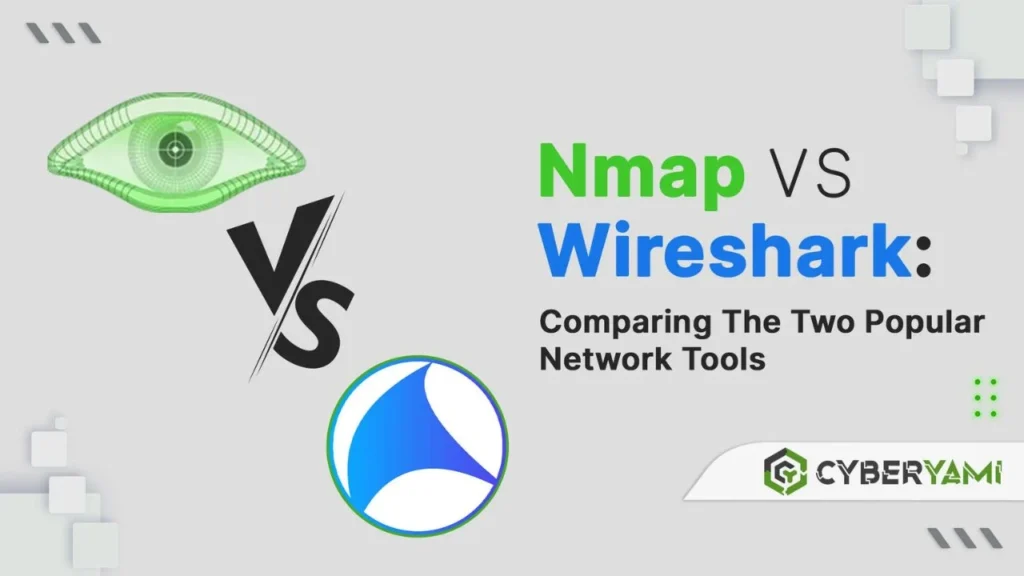
Although Nmap and Wireshark are both widely used in cybersecurity, they serve very different purposes. Understanding the difference helps users choose the right tool for each task.
Nmap is primarily a network scanning and reconnaissance tool. It actively sends packets across a network to identify active hosts, open ports, running services, and operating systems. It is commonly used before penetration testing, vulnerability assessments, and security audits.
Wireshark, on the other hand, is a packet analyzer. Instead of scanning devices, it captures and analyzes live network traffic. Security professionals use Wireshark to troubleshoot network issues, investigate suspicious activity, inspect protocols, and understand how data flows between devices.
Many cybersecurity professionals use both tools together. Nmap identifies devices and services on a network, while Wireshark examines the actual traffic exchanged between those devices. Together, they provide a comprehensive view of network security.
Is Nmap Safe and Legal?
Nmap itself is completely safe, legal, and widely respected within the cybersecurity community. It is open-source software trusted by security professionals, educational institutions, government agencies, and businesses around the world.
However, the legality of using Nmap depends entirely on where and how it is used. Scanning networks, servers, or websites without permission may violate organizational policies or local laws. Ethical hacking always requires authorization from the system owner before performing any type of security assessment.
For beginners, the safest approach is to practice using Nmap in a home lab or virtual environment. Scanning your own devices or intentionally vulnerable laboratory systems allows you to develop practical skills while remaining compliant with ethical and legal standards.
Responsible use of Nmap helps organizations strengthen their cybersecurity posture by identifying vulnerabilities before malicious attackers can exploit them.
Pros and Cons of Nmap
Like any cybersecurity tool, Nmap has strengths and limitations. Understanding both helps users decide when and how to use it effectively.
Pros
- Free and open-source software.
- Supports Windows, Linux, and macOS.
- Fast and highly accurate network scanning.
- Excellent port scanning and host discovery capabilities.
- Advanced service and operating system detection.
- Powerful Nmap Scripting Engine (NSE).
- Widely used in penetration testing and cybersecurity.
- Strong community support and regular updates.
- Suitable for beginners and experienced professionals.
- Easily integrates with other cybersecurity tools.
Cons
- Command-line interface can be intimidating for beginners.
- Advanced scan options require networking knowledge.
- Large network scans may take considerable time.
- Some scan types require administrative privileges.
- Incorrect usage may trigger firewall or intrusion detection alerts.
- Unauthorized scanning may violate laws or organizational policies.
Overall, Nmap remains one of the most powerful and reliable network scanning tools available today. Its combination of speed, flexibility, and extensive functionality makes it an essential skill for anyone pursuing a career in cybersecurity, ethical hacking, network administration, or penetration testing.
Final Thoughts
Nmap is one of the most powerful and trusted network scanning tools available today. From discovering active hosts and identifying open ports to detecting operating systems and running services, Nmap provides valuable insights that help strengthen network security. Its speed, flexibility, and open-source nature have made it an essential tool for cybersecurity professionals, ethical hackers, penetration testers, and network administrators around the world.
Whether you are learning the basics of network security or conducting advanced security assessments, Nmap offers the features needed to understand and protect modern IT environments. Its support for Windows, Linux, and macOS, combined with the powerful Nmap Scripting Engine (NSE), allows users to automate tasks, perform vulnerability assessments, and gather detailed information about network infrastructure.
For beginners, the best way to master Nmap is through consistent practice in a safe and authorized environment. Creating a home lab or using virtual machines enables you to explore network scanning techniques without affecting production systems. As your knowledge grows, you can combine Nmap with other cybersecurity tools to perform more comprehensive security assessments.
It is equally important to remember that Nmap should always be used responsibly. Ethical hacking and penetration testing require explicit authorization from the owner of the systems being tested. Using Nmap only in legal and approved environments helps protect organizations while developing valuable cybersecurity skills.
As cyber threats continue to evolve, learning Nmap remains a worthwhile investment for anyone interested in cybersecurity, network administration, or information security. With regular practice and a strong understanding of networking fundamentals, Nmap can become one of the most valuable tools in your cybersecurity toolkit.
Frequently Asked Questions (FAQs)
1. What is Nmap used for?
Nmap is used for network discovery, port scanning, host detection, operating system identification, service version detection, vulnerability assessment, and cybersecurity auditing. It helps organizations understand and secure their network infrastructure.
2. Is Nmap free?
Yes. Nmap is completely free and open-source software. Anyone can download, install, and use it without paying licensing fees, making it one of the most popular tools for network security and penetration testing.
3. Is Nmap legal?
Yes, Nmap is legal to use. However, scanning systems or networks without the owner’s permission may violate laws or organizational policies. Always perform network scans only on systems you own or are authorized to test.
4. How do I install Nmap?
You can install Nmap on Windows, Linux, or macOS by downloading the appropriate installation package or using your operating system’s package manager. After installation, verify that Nmap is working correctly before performing your first network scan.
5. Can beginners use Nmap?
Absolutely. Nmap is beginner-friendly once you understand basic networking concepts. Starting with simple host discovery and port scanning commands is an excellent way to learn how computer networks operate.
6. What are the most useful Nmap commands?
Some of the most useful commands include basic scans, Ping Scan, SYN Scan, TCP Connect Scan, UDP Scan, Service Version Detection, Operating System Detection, Aggressive Scan, and commands that use the Nmap Scripting Engine (NSE).
7. What is the Nmap Scripting Engine (NSE)?
The Nmap Scripting Engine (NSE) is a powerful feature that allows users to automate network discovery, vulnerability detection, service enumeration, and many other security tasks through reusable scripts.
8. What is the difference between Nmap and Wireshark?
Nmap actively scans networks to discover hosts, ports, and services, while Wireshark captures and analyzes live network traffic. Nmap is primarily a reconnaissance tool, whereas Wireshark is a packet analysis tool used for troubleshooting and traffic inspection.
9. Does Nmap work on Windows?
Yes. Nmap fully supports Windows and also provides Zenmap, a graphical user interface that makes network scanning easier for users who prefer a visual interface over the command line.
10. Is Nmap good for cybersecurity?
Yes. Nmap is one of the most important tools in cybersecurity. It is widely used for penetration testing, vulnerability assessments, network administration, ethical hacking, and security auditing. Learning Nmap is considered a valuable skill for anyone pursuing a career in information security.
