

Introduction
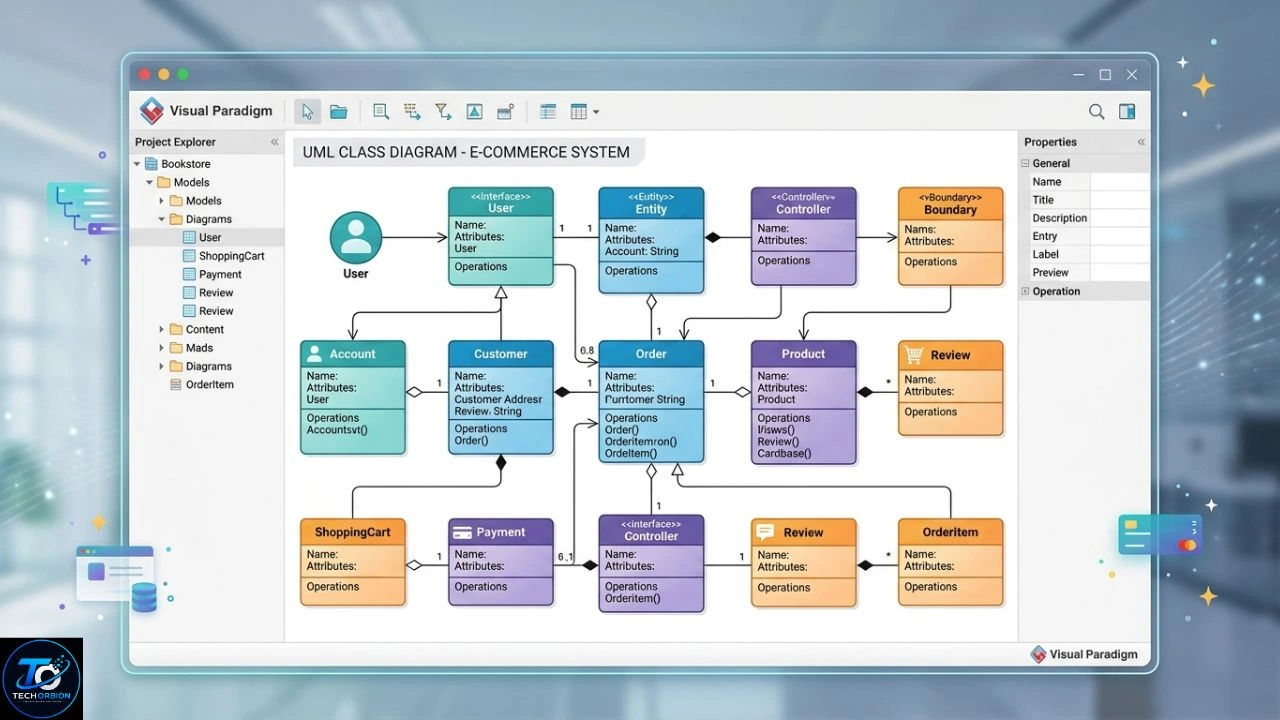
UML Visual Paradigm usually refers to using Visual Paradigm as a tool for creating and managing Unified Modeling Language (UML) diagrams. UML gives developers, students, software designers, and system analysts a simple visual way to explain how a software system works. Instead of describing every part of a program with long paragraphs, you can use diagrams to show classes, users, processes, objects, and how different parts communicate.
Visual Paradigm provides tools for creating several UML diagrams, including use case, class, sequence, activity, and other models. Its UML features are designed to help turn software ideas and requirements into clear visual models.
UML gives developers, students, software designers, and system analysts a simple visual way to explain how a software system works. You can learn more about Visual Paradigm and how it is used for software modeling.
This guide explains what UML is, how Visual Paradigm helps with UML modeling, the most useful diagram types, its benefits and drawbacks, and practical tips for beginners.
Table of Contents
- What Is UML Visual Paradigm?
- Main UML Diagrams in Visual Paradigm
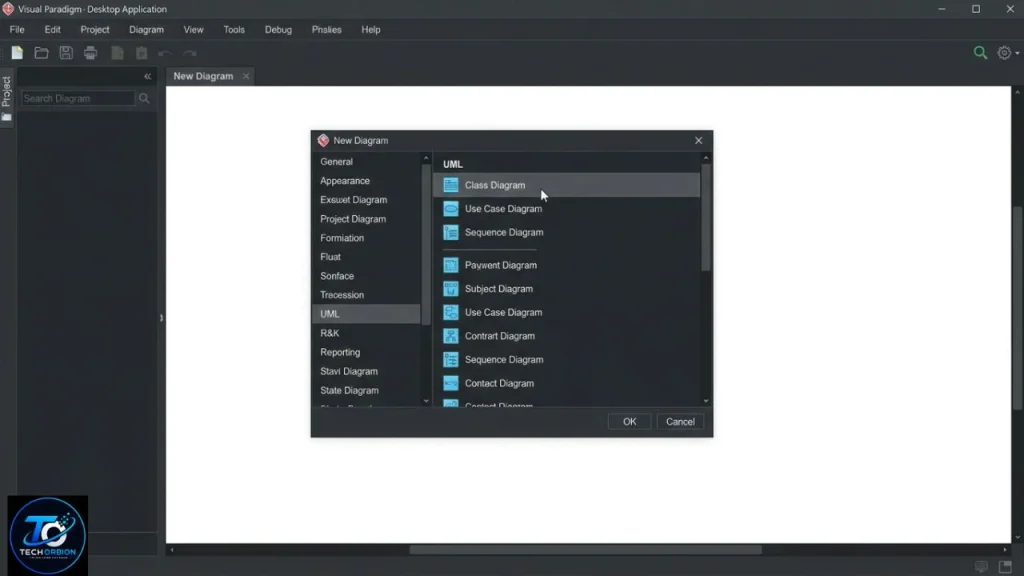
- How to Create a UML Diagram in Visual Paradigm
- Benefits, Drawbacks, and Common Mistakes
- Visual Paradigm vs Other UML Tools
- FAQs
- Conclusion
What Is UML Visual Paradigm?
UML stands for Unified Modeling Language. It is a standard visual language used to describe, design, and document software and other systems. The Object Management Group (OMG), which maintains the UML standard, describes UML as a graphical language for visualizing, specifying, and documenting software-intensive systems.
Visual Paradigm is software that helps you create these models without having to draw every shape manually. You can place elements such as classes, actors, objects, and activities on a canvas and connect them using the appropriate relationships. This makes complicated software ideas much easier to understand.
Visual Paradigm provides dedicated tools for creating different types of UML diagrams and software models.
For example, imagine you are building an online shopping website. You might need customers, products, shopping carts, orders, and payments. A UML class diagram can show these elements and the relationships between them. A use case diagram can show what customers and administrators can do.
Why Is UML Useful?
UML is useful because software can become difficult to understand as a project grows. A diagram provides a visual map of the system.
Developers can use UML to:
- Plan software before writing code
- Understand system requirements
- Explain ideas to team members
- Document existing software
- Find design problems early
- Show relationships between system components
- Make technical discussions easier
UML is not a programming language. You do not normally execute a UML diagram like you execute Java, Python, or C#. Instead, it works as a modeling language that helps people understand and design systems.
Main UML Diagrams in Visual Paradigm
Visual Paradigm supports important UML modeling tasks, including use case, class, and sequence diagrams. Its official UML tool documentation explains that use case diagrams can capture functional requirements, while class diagrams describe system structure and sequence diagrams show interactions over time.
Different diagrams answer different questions. Choosing the right diagram is therefore more important than simply creating as many diagrams as possible.
Use Case Diagram
A use case diagram shows what users or other systems can do with an application.
For an online banking application, actors might include:
- Customer
- Bank employee
- Administrator
- Payment service
Use cases could include checking a balance, transferring money, paying a bill, or updating account information.
The main purpose is to explain system functionality from the user’s point of view.
Class Diagram
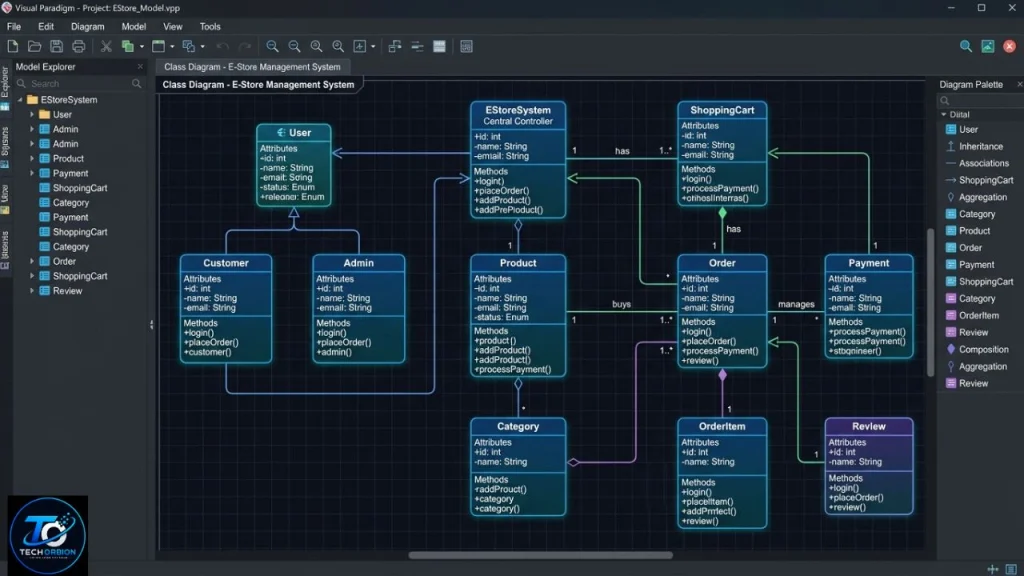
A class diagram shows the structure of a software system. It can contain classes, attributes, methods, and relationships.
For an online store, you might have classes such as:
| Class | Example Attributes | Example Methods |
|---|---|---|
| Customer | Name, Email | Login(), UpdateProfile() |
| Product | Name, Price | UpdatePrice() |
| Order | OrderID, Date | CreateOrder() |
| Payment | Amount, Status | ProcessPayment() |
Class diagrams are especially useful during software design because they provide a visual blueprint of the objects and relationships that developers may later implement in code.
Sequence Diagram
A sequence diagram explains how different objects or systems communicate over time.
For example, when a customer logs into a website, the interaction might look like this:
- Customer enters login details.
- Website sends the information to an authentication service.
- Authentication service checks the database.
- Database returns the account information.
- Authentication service sends the result back.
- Website displays the account page.
This type of diagram makes the order of communication much easier to understand.
Activity Diagram
An activity diagram shows a process or workflow.
For example, an online shopping process might be:
Choose Product → Add to Cart → Checkout → Make Payment → Confirm Order
Activity diagrams are useful when a process has several steps, decisions, or possible paths.
Other UML Models
Depending on the project, you may also work with diagrams such as component, deployment, state machine, package, object, communication, and timing diagrams.
You do not need to use every diagram type in every project. The best approach is to choose diagrams that answer the questions your project actually has.
How to Create a UML Diagram in Visual Paradigm
Creating a UML model can seem difficult at first, but the basic process is straightforward.
Step 1: Understand the System First
Before opening the modeling tool, understand what you want to build.
For example, if you are designing a school management system, identify important users and functions first. You might have students, teachers, administrators, courses, attendance, and grades.
Do not start by randomly adding boxes to the diagram. First understand the system.
Step 2: Choose the Right Diagram
Ask yourself what you want the diagram to explain.
If you want to show users and their actions, choose a use case diagram.
If you want to show system structure, choose a class diagram.
If you want to show communication between objects, use a sequence diagram.
If you want to show a workflow, an activity diagram may be better.
Step 3: Add the Main Elements
Add only the important elements at first. For example, a class diagram might begin with Customer, Product, and Order.
You can add more details later.
This approach keeps the first version simple and makes mistakes easier to find.
Step 4: Connect the Elements
After adding the main elements, create the correct relationships.
For example, one Customer may create many Orders. A UML relationship can represent that connection.
It is important to use the correct relationship type because different UML relationships communicate different meanings.
Step 5: Review the Diagram
Look at the completed model as if you were another person seeing it for the first time.
Ask:
- Is the diagram easy to understand?
- Are the names clear?
- Are unnecessary elements included?
- Are relationships correct?
- Does the diagram represent the actual system?
A good UML diagram should explain an idea, not create more confusion.
Benefits, Drawbacks, and Common Mistakes
Visual Paradigm can be useful for beginners, students, developers, software architects, and teams that need visual documentation. However, like any modeling tool, it is not perfect for every situation.
Benefits of Using Visual Paradigm for UML
Easy visual modeling: Instead of drawing UML shapes manually, users can create models inside a dedicated modeling environment.
Better project communication: A diagram can make technical ideas easier for developers, clients, teachers, and students to discuss.
Useful documentation: UML models can become part of a project’s technical documentation.
Supports different UML diagrams: You can choose different diagram types depending on what you need to explain. Visual Paradigm’s UML tooling includes common diagrams such as use case, class, and sequence diagrams.
Helpful for learning: Students can practice UML concepts visually rather than trying to understand everything from theory alone.
Drawbacks
UML modeling also has some limitations.
First, large diagrams can become difficult to read. Adding more elements does not automatically make a model better.
Second, beginners may spend too much time focusing on diagram design instead of understanding the actual software problem.
Third, UML cannot replace good software architecture, programming skills, testing, or clear requirements.
Finally, some small projects may not need extensive UML documentation. A simple sketch may be enough.
Common UML Mistakes
One common mistake is trying to put everything into one diagram. Large diagrams often become confusing.
Another mistake is using relationships without understanding what they mean. UML symbols are not simply decorative lines.
A third mistake is creating diagrams that no longer match the actual software. If the system changes but the diagrams are never updated, the documentation can become misleading.
A better approach is to keep diagrams focused and update important models when the system changes.
Visual Paradigm vs Other UML Tools
Visual Paradigm is one option among several software modeling tools. The best choice depends on your project, budget, experience, and required features.
| Feature | Visual Paradigm | Basic Diagram Tool | Manual Drawing |
| UML-specific features | Strong | Limited | None |
| UML symbols | Built in | May be limited | Manual |
| Large projects | Suitable | Can become difficult | Difficult |
| UML learning | Helpful | Moderate | Basic |
| Model relationships | Supported | Often basic | Manual |
| Documentation | Useful | Depends on tool | Time-consuming |
A general drawing application may be enough for a very simple diagram. However, dedicated UML software can be more convenient when you are working with multiple models and relationships.
The important point is that the tool does not create a good architecture for you. You still need to understand requirements, system behavior, and software design.
Expert Tips for Better UML Models
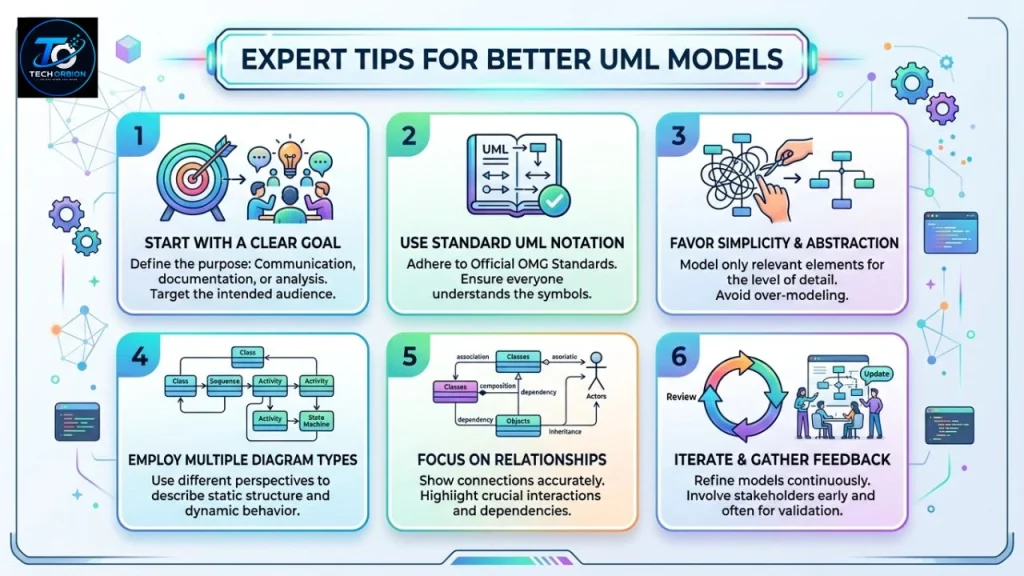
Keep each diagram focused on one purpose. If a diagram tries to explain everything, readers may struggle to understand it.
Use clear names such as Customer, Order, and Payment instead of confusing abbreviations.
Start with a simple model and add details only when they are useful.
Also, remember that UML is a standard modeling language. The official UML specification is maintained by OMG, and the current formal specification listed by OMG is UML 2.5.1.
For beginners, learning the basic UML concepts first is often more valuable than learning every feature of a modeling application.
FAQs
1. What is UML Visual Paradigm used for?
It is used to create UML models and diagrams that help explain software structure, system behavior, requirements, workflows, and relationships between system components.
2. Is Visual Paradigm good for UML?
Yes. Visual Paradigm provides dedicated UML modeling features and supports common diagrams such as use case, class, and sequence diagrams.
3. Is UML a programming language?
No. UML is a visual modeling language. It helps people plan, describe, and document software systems, but it is not normally used to execute programs.
4. Which UML diagram should beginners learn first?
A use case diagram and class diagram are good starting points. Use case diagrams help explain what users do, while class diagrams introduce system structure.
5. Do all software projects need UML diagrams?
No. UML is useful when visual modeling improves understanding or documentation, but a small project may not require many diagrams. Choose models based on the project’s needs.
Conclusion
UML Visual Paradigm brings together a standard modeling language and a dedicated software environment for creating system diagrams. UML provides the rules and concepts for visualizing software systems, while Visual Paradigm gives users practical tools for creating those models.
For beginners, the most important step is not learning every UML symbol at once. Start with simple use case, class, sequence, and activity diagrams. Understand what each diagram is supposed to explain, keep models clean, and connect them to real project requirements.
When used properly, UML modeling can make software planning, communication, documentation, and system design much easier. The tool is helpful, but the quality of the final model still depends on how well you understand the system you are designing.
