

Introduction
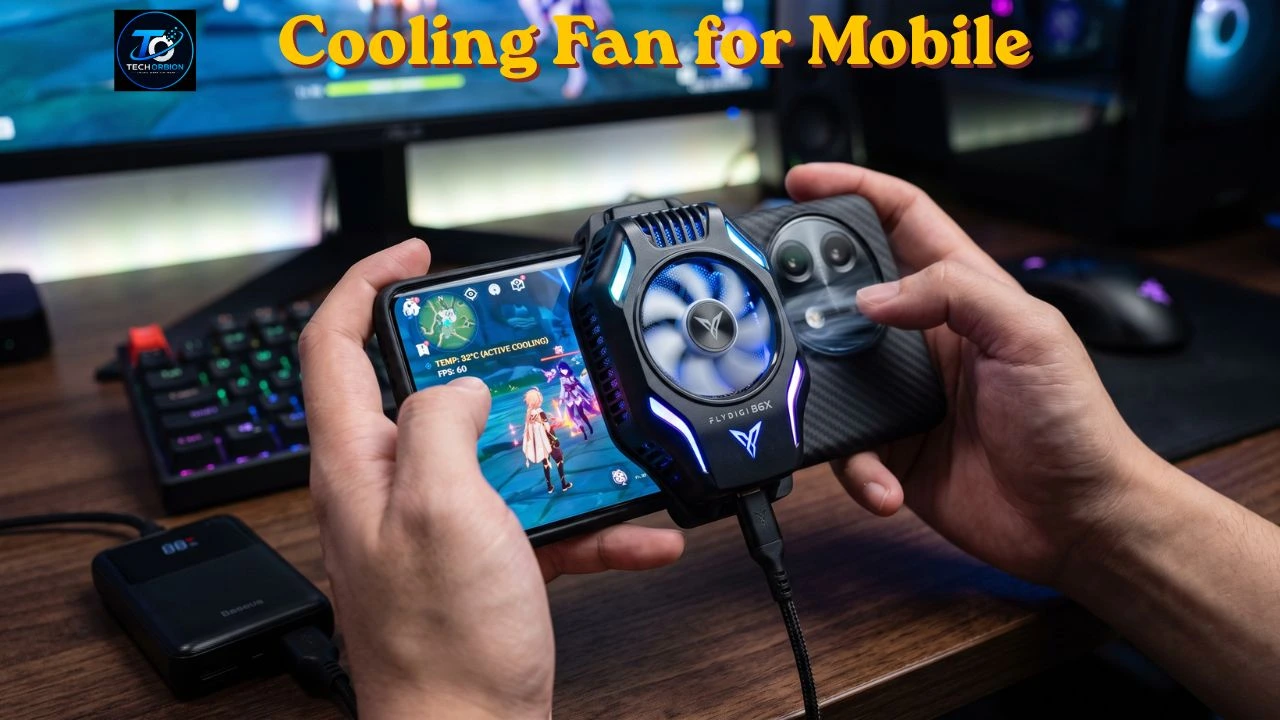
Playing games or watching videos on a phone for a long time can make the device feel hot. Heavy games, high graphics, fast processors, and long screen time can increase the phone’s temperature and may affect performance. This is where a cooling fan for mobile phones can be useful. A mobile cooling fan is a small device that helps remove extra heat from the back of your smartphone while you use it. It is especially helpful for gamers who play demanding games for long sessions and want to keep their phones cooler.
Most mobile cooling fans are designed to attach directly to the back of a phone or its case. Some models use a simple fan, while others use phone cooling technology such as semiconductor cooling to reduce heat more quickly. A good mobile phone cooler can help reduce overheating, improve gaming comfort, and prevent performance from dropping when the phone becomes too hot.
In this guide, we will explain how a smartphone cooling fan works, when you need one, what features to look for, and how to choose the right model. We will also discuss whether a phone cooler for gaming is really worth buying.
We have covered this topic in detail in our [Mobile Cooling Fan] article.
What Is a Cooling Fan for Mobile?
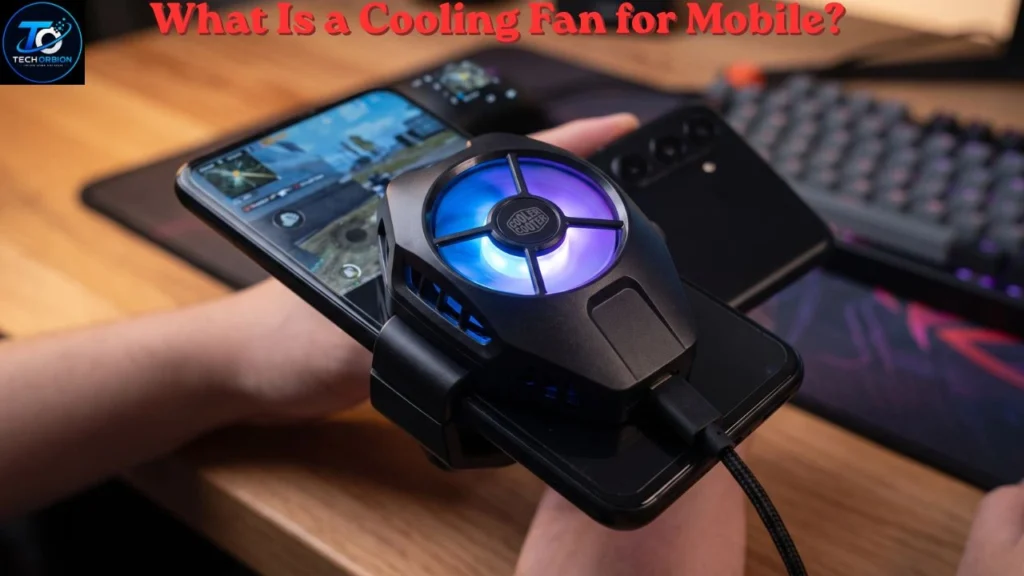
A cooling fan for mobile is a small accessory designed to help reduce heat from a smartphone. It usually attaches to the back of the phone and uses airflow, a cooling plate, or both to help remove heat.
Phones naturally become warm when their processor and graphics hardware work hard. Gaming is one of the most common situations where this happens. Long gaming sessions can make the phone noticeably hotter than normal.
A basic phone cooler uses a small fan to move air around the back of the phone. More advanced models may use a semiconductor cooling system along with a fan. These models can provide stronger cooling, although they may consume more power.
Why Do Phones Get Hot?
There are several reasons why a smartphone may become hot.
Heavy Gaming
Mobile games can put a lot of pressure on the processor and graphics hardware. Games with detailed graphics, high frame rates, and online features can make the phone work harder.
This is why gamers often look for a mobile gaming cooler.
Charging
Phones can become warm while charging, especially when using fast charging. Some heat during charging is normal, but excessive heat is not something you should ignore.
Using a phone heavily while charging can increase the amount of heat produced.
Video Recording
Recording high-resolution video requires significant processing power. Long recording sessions can therefore increase the temperature of the phone.
Hot Environment
Room temperature also matters. A phone may heat up faster in a hot room or under direct sunlight.
Too Many Background Tasks
Multiple apps and processes running in the background can increase processor activity. Closing apps you do not need may sometimes help reduce unnecessary workload.
How Does a Mobile Phone Cooling Fan Work?
A phone cooler usually attaches to the back of the smartphone. Depending on the design, it may use one or more methods to remove heat.
Fan-Based Cooling
The simplest cooling accessories use a small fan. The fan moves air around the back of the phone and helps carry heat away.
These coolers are usually lightweight and can be easy to use.
Cooling Plate
Some models include a cooling plate that touches the back of the phone. The plate helps transfer heat away from the device.
Fan and Cooling Plate Combination
Higher-performance coolers may combine a cooling plate with a fan. The cooling plate helps move heat away from the phone, while the fan helps remove that heat from the cooler.
This type of design is popular among mobile gamers because it can provide stronger cooling than a simple fan.
Android devices can respond to high temperatures by changing performance behavior. You can learn more about Android thermal management from Google’s Android Developers documentation.
Do You Need a Phone Cooler for Gaming?
Not everyone needs a phone cooler.
If you mostly use your phone for messaging, web browsing, social media, and normal video watching, your phone’s built-in thermal system is usually enough.
However, a cooling accessory can be useful if you:
- Play demanding games for long sessions
- Notice your phone becoming very hot while gaming
- Experience performance drops after extended gaming
- Record or stream games from your phone
- Use performance-heavy applications for long periods
- Want to keep the phone more comfortable during intensive use
For serious mobile gaming, a cooling fan for gaming phone setups can be a useful accessory.
Benefits of Using a Cooling Fan for Mobile
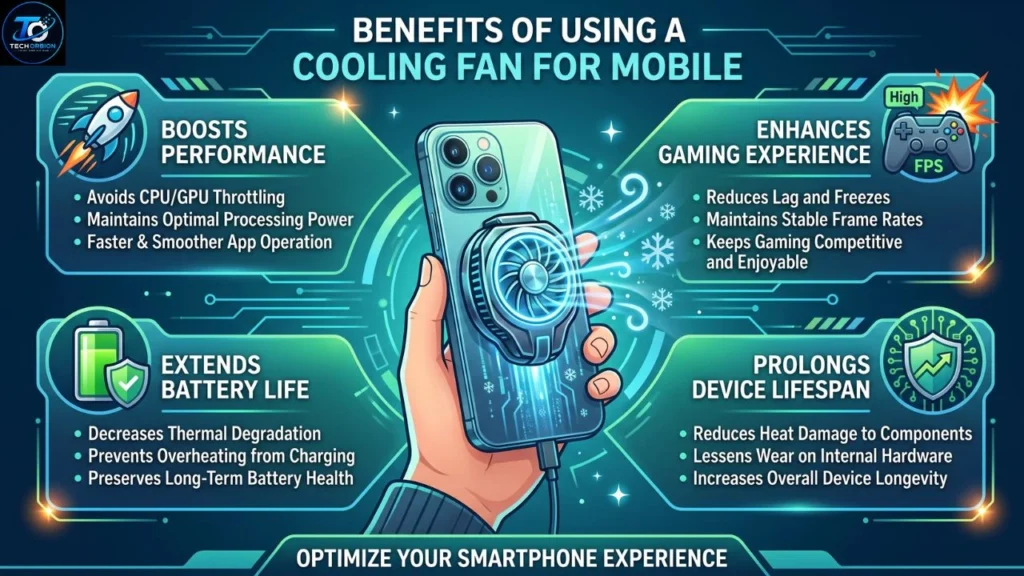
A phone cooling accessory can offer several advantages.
1. Helps Control Heat
The main purpose of a cooler is to help remove heat from the phone. This can be useful during demanding tasks.
2. Can Help Maintain Performance
When a smartphone becomes too hot, it may reduce performance to control its temperature. This process is often called thermal throttling.
Keeping temperatures under control may help the phone maintain more consistent performance during long gaming sessions.
3. Better Gaming Comfort
A hot phone can become uncomfortable to hold. A cooler may help make long gaming sessions more comfortable.
4. Useful for Long Gaming Sessions
Casual players may never need a cooler. However, people who regularly play for hours may find one more useful.
5. Easy to Carry
Most mobile coolers are small enough to carry in a backpack or gaming bag. This makes them convenient for people who play games away from home.
What Is a Magnetic Phone Cooler?
A magnetic phone cooler uses magnets to attach to a compatible smartphone or magnetic accessory.
Magnetic attachment can make the cooler easy to install and remove. However, compatibility is important. Not every smartphone has the same magnetic attachment system.
If your phone does not have built-in magnetic support, you may need a compatible magnetic case or attachment ring.
Before buying a magnetic cooler, check whether it works with your phone model and case.
Phone Cooler for PUBG: Is It Useful?
Players searching for a phone cooler for PUBG are usually looking for a way to control heat during long gaming sessions.
PUBG Mobile can require significant processing power, especially when using higher graphics settings and frame rates. Long sessions may therefore make some phones warmer.
A cooler can help manage heat during these sessions. However, it cannot solve every gaming problem.
If a game is lagging, the cause could also be:
- Weak internet connection
- High graphics settings
- Low storage space
- Background applications
- An older processor
- Battery or software issues
A cooler is mainly designed to help with heat. It should not be treated as a solution for every type of lag.
Types of Mobile Phone Coolers
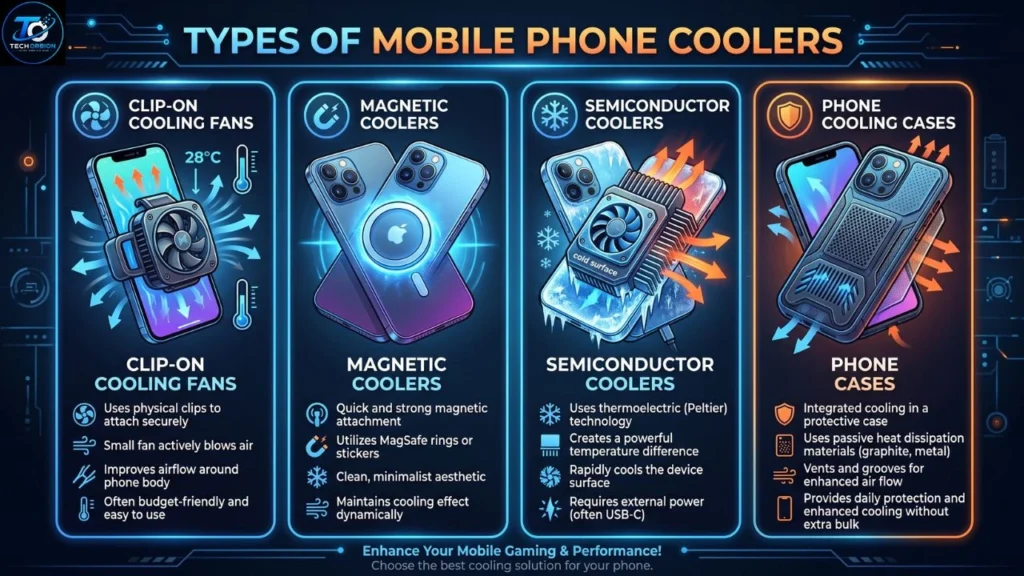
There are several types of phone cooling accessories.
Clip-On Cooling Fans
These attach to the phone using a clip. They are generally simple and portable.
They can be a good option for people who want basic cooling without a complicated setup.
Magnetic Coolers
Magnetic models attach using a magnetic connection. They can be convenient if your phone or case supports the required system.
Semiconductor Coolers
Some advanced models use a semiconductor cooling plate along with a fan. These can provide stronger cooling than basic fan-only designs.
However, they may require external power and can sometimes produce condensation in very cold conditions.
Phone Cooling Cases
Some gaming accessories are designed as cases or case-like cooling systems. They may offer a more integrated design, although compatibility can be more limited.
How to Choose the Best Cooling Fan for Mobile
Choosing the best cooling fan for mobile depends on your phone and how you use it.
Check Compatibility
The most important step is checking whether the cooler fits your phone.
Some models are designed for specific sizes or attachment methods. A cooler that does not make good contact with the phone may not work effectively.
Look at the Attachment Method
Check whether the product uses:
- A clip
- Magnets
- A case
- A special mounting system
Choose the option that is convenient for your setup.
Consider Cooling Performance
Do not choose a cooler only because it has a large fan or impressive-looking design.
Look at how the cooling system works and whether it is designed for gaming or general use.
Check Noise Levels
A small fan can make noise while running. If you play games using a microphone or stream from your phone, a quieter cooler may be more useful.
Check Power Requirements
Some coolers receive power through USB. This means you may need a charger, power bank, or another USB power source.
Check the power requirements before purchasing.
Think About Portability
If you travel often, choose a lightweight cooler that is easy to carry.
A large cooling system may offer strong performance but can be less convenient.
Consider Your Budget
You do not always need the most expensive model. A simple fan may be enough for casual users, while serious gamers may benefit from a more advanced cooling system.
Common Mistakes to Avoid
Buying a cooler is easy, but there are a few mistakes worth avoiding.
Buying Without Checking Compatibility
Always check the phone size and attachment requirements before buying.
Expecting a Cooler to Fix Internet Lag
A cooler cannot improve your internet connection. If your game is lagging because of network problems, cooling will not solve the issue.
Ignoring the Phone Case
A thick case can interfere with heat transfer between the phone and cooler. Some coolers may work best when attached directly to the phone or a compatible thin case.
Choosing Only by Appearance
RGB lighting and gaming designs can look attractive, but they do not automatically mean better cooling.
Focus on cooling performance, compatibility, noise, power requirements, and build quality.
Using a Cooler in Extremely Cold Conditions
Advanced cooling systems can make the contact area very cold. In certain environments, moisture or condensation may become a concern.
Use the accessory according to the manufacturer’s instructions.
Can a Phone Cooler Damage Your Phone?
A properly designed and correctly used cooler should not normally damage a smartphone.
However, you should follow the manufacturer’s instructions. Do not intentionally cool a hot phone to extremely low temperatures.
Sudden temperature changes can cause moisture or condensation under certain conditions. This is particularly important with powerful cooling systems.
Also, avoid blocking the phone’s ports, buttons, cameras, or other important components.
Do Phone Coolers Improve Battery Life?
A cooler is not primarily designed to increase battery life.
It may help control heat during heavy use, but battery consumption still depends on factors such as screen brightness, gaming performance, network activity, processor usage, and battery condition.
In fact, an externally powered cooler uses some power itself.
So, do not buy a cooling fan only because you expect it to make your phone battery last much longer.
Cooling Fan vs. Built-In Phone Cooling
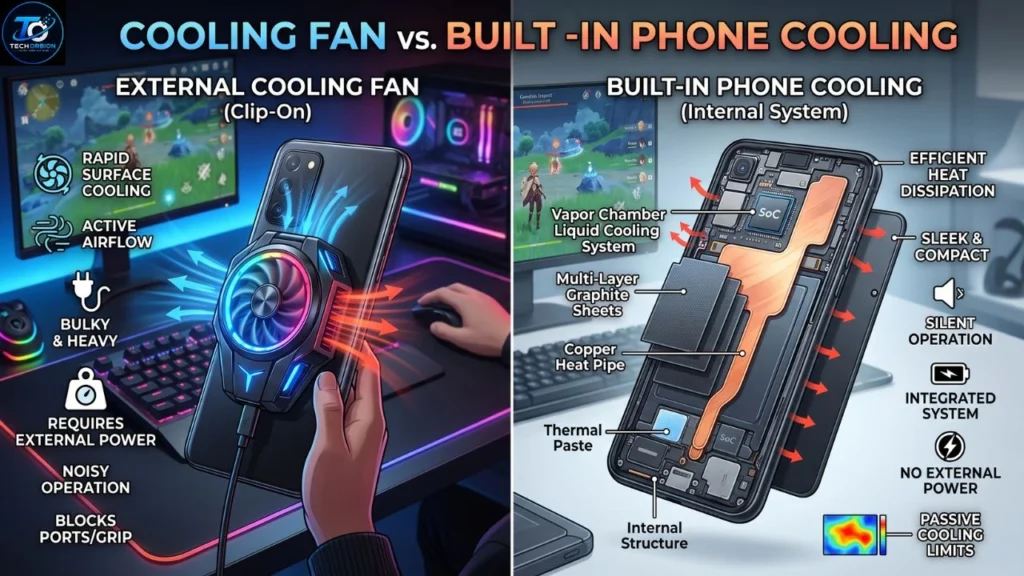
Modern gaming smartphones may include their own internal cooling systems. These can use materials and designs that help move heat away from important components.
An external cooler works alongside the phone’s built-in thermal system.
This means an external cooler can be an additional tool rather than a replacement for the phone’s internal cooling design.
Simple Ways to Keep Your Phone Cool
You do not always need a cooler to reduce phone temperature.
Try these simple steps:
- Avoid using your phone under direct sunlight.
- Remove unnecessary background apps.
- Lower graphics settings in demanding games.
- Avoid heavy gaming while fast charging when possible.
- Keep the phone away from hot surfaces.
- Keep the software updated.
- Use a cooler during long gaming sessions if necessary.
These simple habits can work together with a cooling accessory.
Is a Cooling Fan for Mobile Worth It?
For casual smartphone users, a cooling fan may not be necessary.
For mobile gamers and other heavy users, it can be a useful accessory. If your phone regularly becomes hot during long gaming sessions, a good cooler may help manage that heat.
The best choice depends on your phone, gaming habits, budget, and preferred attachment method.
A basic fan can be enough for occasional use, while a more advanced cooling plate and fan combination may be better for demanding gaming sessions.
Frequently Asked Questions
Is a cooling fan good for a mobile phone?
Yes. A properly used cooler can help remove heat from a phone during demanding tasks such as gaming. It is most useful when the phone becomes noticeably hot during extended use.
Does a phone cooler reduce gaming lag?
It may help when performance problems are caused by excessive heat and thermal throttling. However, it cannot fix network lag, weak hardware, or other unrelated problems.
Is a phone cooler useful for PUBG?
Yes, it can be useful for long PUBG Mobile sessions, especially if the phone becomes hot. However, gaming performance also depends on the phone’s hardware, software, and internet connection.
Are magnetic phone coolers better?
Not necessarily. Magnetic models can be more convenient, but cooling performance depends on the complete cooling design. Always check compatibility with your phone.
Can I use a phone cooler while charging?
Some coolers can be used while the phone is charging, but you should follow the cooler and phone manufacturer’s instructions. Avoid excessive heat and use proper charging equipment.
Do all phones need a cooling fan?
No. Most phones do not need an external cooler for normal daily activities. Cooling accessories are mainly useful for demanding and extended workloads.
Final Thoughts
A cooling fan for mobile can be a useful accessory for people who regularly push their smartphones with demanding games and other heavy tasks. It helps move heat away from the device and may help maintain more consistent performance when temperatures rise.
For everyday activities such as messaging, browsing, and watching videos, an external cooler is usually unnecessary. But if you are a serious mobile gamer, a mobile phone cooling fan can be worth considering.
Before buying one, check compatibility, cooling technology, attachment method, noise level, power requirements, portability, and price. Most importantly, choose a cooler that matches the way you actually use your phone rather than simply buying the most expensive model.
