

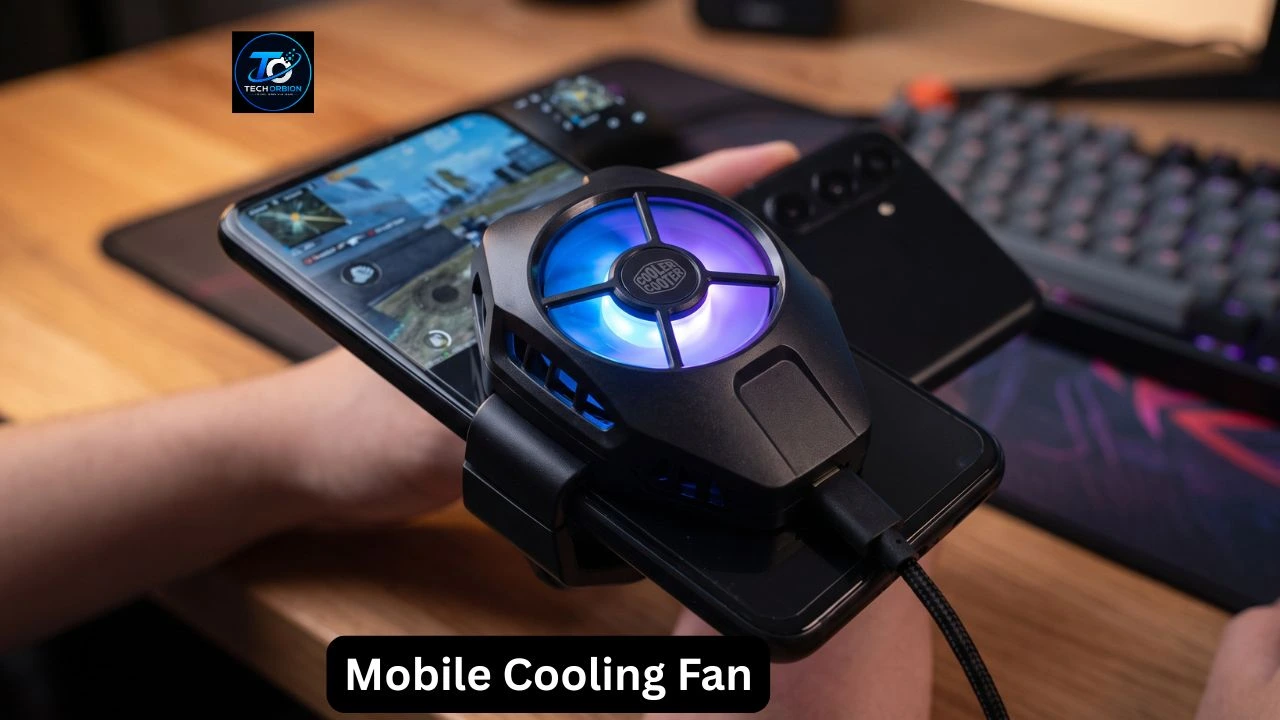
A mobile cooling fan is a small accessory that helps reduce heat from a smartphone during heavy use. It can be useful for people who play games for long periods, stream videos, record content, or use demanding apps. When a phone gets too hot, it may become uncomfortable to hold and can reduce its performance to control the temperature.
A cooling fan for mobile is mainly designed to help move heat away from the back of the device. Some models use a simple fan, while others combine a fan with a cooling plate for stronger heat management.
But does every phone need a cooler? Is a mobile phone cooler useful for gaming? What should you check before buying one? This guide explains how these accessories work, their benefits and drawbacks, and how to choose the right option for your smartphone.
To learn more, read our complete guide on [Cooling Fan for Mobile].
What Is a Mobile Cooling Fan?
A mobile cooling fan is a compact accessory made to help control the temperature of a smartphone. Most models attach to the back of the device and use airflow or a cooling surface to help remove heat.
Smartphones naturally produce heat when their processors, graphics hardware, battery, and other components are working. Normal activities usually do not create a problem because phones have built-in systems for managing heat.
However, demanding tasks can produce more heat than everyday use. Mobile gaming is a common example.
A phone cooling fan provides an additional way to manage that heat. Depending on the design, it may simply blow air across the back of the phone or use a cooling plate to transfer heat away from the device.
Why Do Mobile Phones Get Hot?
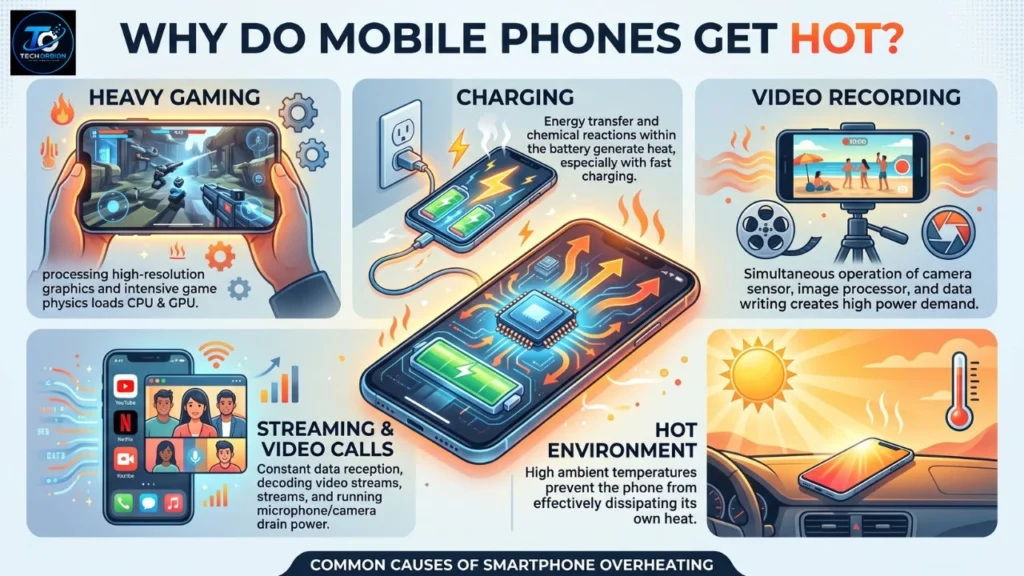
It is normal for a smartphone to become slightly warm during use. However, several activities can make it noticeably hotter.
Heavy Gaming
Mobile games can place a lot of work on the processor and graphics hardware. Games with detailed graphics and high performance settings can generate more heat than simple games.
This is one reason a mobile cooler for gaming can be useful for some players.
Charging
Charging can also make a phone warm. Fast charging can produce additional heat, and using demanding apps while charging may increase the thermal load.
If your phone becomes unusually hot while charging, it is better to stop heavy activities and allow it to cool.
Video Recording
Recording high-quality video requires the phone to process and store a large amount of information. Long recording sessions can therefore increase device temperature.
Streaming and Video Calls
Long video calls, live streaming, and similar activities can keep the processor, display, camera, and network hardware active for extended periods.
Hot Environment
The surrounding temperature also matters. A phone can heat up faster in direct sunlight, inside a hot vehicle, or in a poorly ventilated area.
How Does a Mobile Cooling Fan Work?
The basic purpose of a mobile cooler is to help move heat away from the smartphone.
Different models use different cooling methods.
Fan-Based Cooling
The simplest design uses a small fan to move air around the back of the phone.
The moving air helps carry heat away from the surface. These models are usually compact and easy to attach.
Fan-only coolers can be suitable for users who want a simple solution for occasional gaming or general heavy use.
Cooling Plate
Some models use a cooling plate that makes contact with the back of the phone.
The plate helps transfer heat away from the device. This design can provide more direct cooling than simply blowing air around the phone.
Fan and Cooling Plate Combination
More advanced products combine a cooling plate with a fan.
The cooling plate helps transfer heat away from the phone, while the fan removes heat from the cooling system.
These models are often aimed at people who regularly play demanding games and need additional temperature management.
Modern Android devices use different thermal management methods to control heat during demanding tasks. You can learn more about Android thermal management from Google’s official Android Developers documentation
Benefits of Using a Mobile Cooling Fan
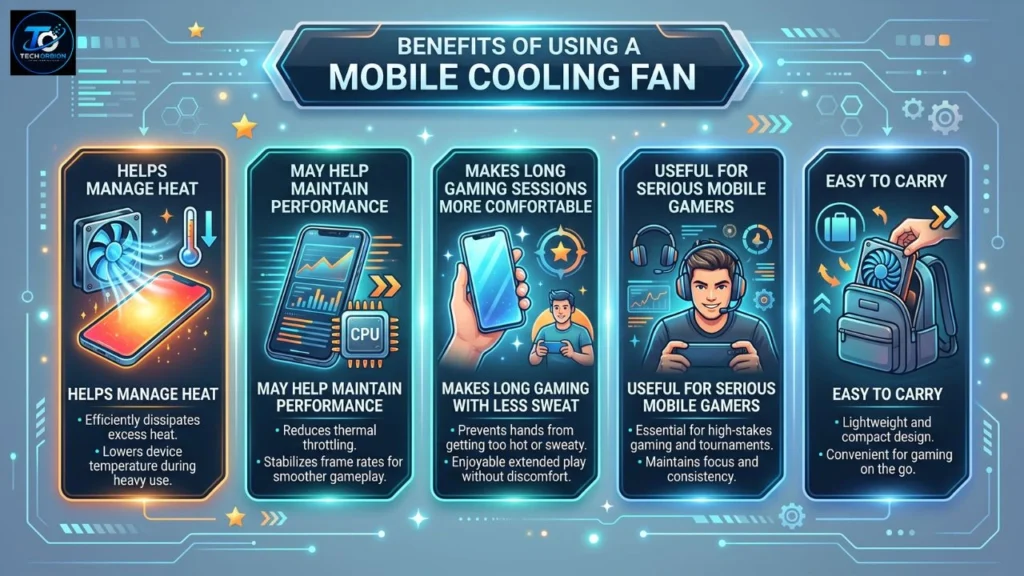
A mobile cooling fan can provide several benefits, but its usefulness depends on how you use your phone.
Helps Manage Heat
The main purpose of a cooler is to help reduce heat around the area where it is attached.
This can be useful during demanding activities such as gaming, streaming, and video recording.
May Help Maintain Performance
When a smartphone becomes too hot, its system may reduce performance to control temperature. This behavior is often called thermal throttling.
By helping manage heat, an external cooler may help the phone maintain more consistent performance during demanding workloads.
However, it cannot increase the phone’s hardware capabilities.
Makes Long Gaming Sessions More Comfortable
Holding a hot phone for a long time can be uncomfortable.
A cooler may help keep the back of the device more comfortable while playing.
Useful for Serious Mobile Gamers
Casual players may not need an external cooling accessory.
People who regularly play demanding games for long sessions are more likely to benefit from one.
Easy to Carry
Most smartphone cooling accessories are relatively compact. This makes them convenient for gamers who carry their phones and accessories when traveling.
Mobile Cooling Fan for Gaming
Gaming is one of the most common reasons people purchase a phone cooler.
Modern mobile games can place significant demands on the processor and graphics hardware. When a game is played for a long time, heat can build up.
A phone cooler for gaming may be useful if:
- Your phone becomes very warm during gaming.
- You regularly play for long sessions.
- You use demanding graphics settings.
- You stream or record your gameplay.
- You notice performance changes after extended gaming.
- You want a more comfortable gaming experience.
A cooler is not a replacement for a powerful smartphone. If a game requires more performance than your phone can provide, an external fan will not turn the device into a high-end gaming phone.
Is a Cooling Fan for Mobile Useful for PUBG?
A cooling fan for mobile can be useful for people who play PUBG Mobile for extended periods.
Demanding games can make a smartphone work harder, especially when using higher graphics or performance settings. This can increase heat.
A phone cooler may help manage that heat, but it cannot solve every gaming problem.
For example, game lag may be caused by:
- Weak internet connection
- High graphics settings
- Background apps
- Limited phone hardware
- Software problems
- Server or network issues
If the problem is internet latency, a cooling fan will not improve the connection.
Types of Mobile Cooling Fans
There are several types of smartphone cooling accessories.
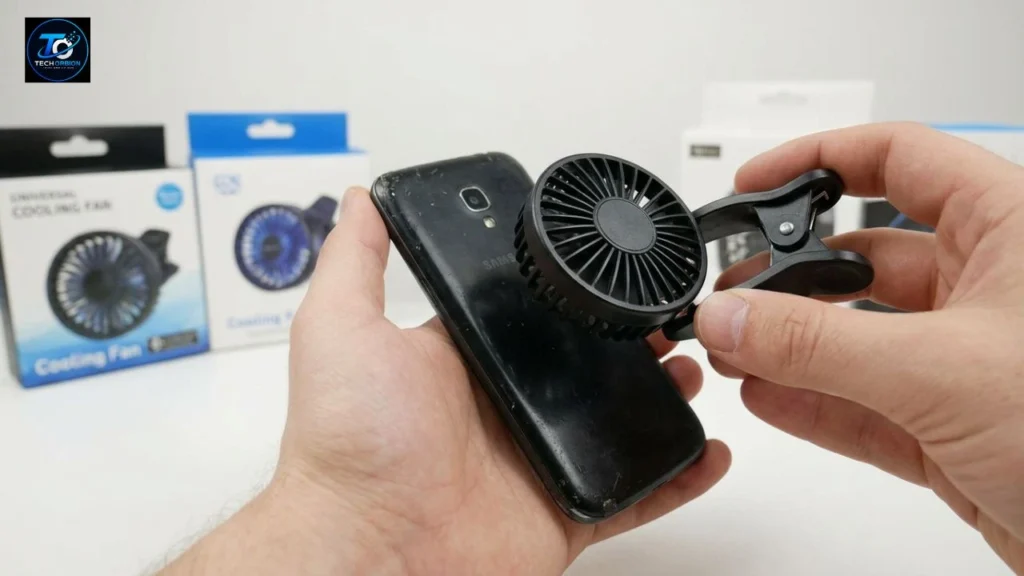
Clip-On Cooling Fans
Clip-on models use a clip to attach to the phone.
They are generally simple to install and can be a good choice for users who want a basic cooling solution.
One advantage is that they can often be removed quickly when you are finished gaming.
Magnetic Cooling Fans
Magnetic coolers attach to a compatible magnetic surface on the phone or case.
They can be convenient because they are easy to attach and remove.
However, you should check compatibility before buying one. Some phones may require a compatible case or magnetic attachment ring.
Semiconductor Cooling Systems
Some advanced products combine a fan with a thermoelectric cooling system.
These can provide stronger cooling than a basic fan-only design. However, they usually require external power and should be used according to the manufacturer’s instructions.
Cooling Cases
Some products combine a protective phone case with a cooling system.
These can provide a more integrated setup, but compatibility may be limited to specific phone models.
How to Choose the Best Mobile Cooling Fan
There is no single cooler that is best for every smartphone user. Your choice should depend on your phone and how you plan to use the accessory.
1. Check Phone Compatibility
This is the first thing you should check.
Make sure the cooler is suitable for your phone’s size and design. If it does not make proper contact with the device, its cooling performance may be reduced.
2. Check the Attachment Method
Look at how the product attaches to the smartphone.
Common options include:
- Clips
- Magnets
- Cases
- Special mounting systems
Choose the option that works with your phone and your existing case.
3. Consider the Cooling System
A basic fan may be enough for occasional use.
If you regularly play demanding games, you may prefer a design that combines a cooling plate with a fan.
4. Check Noise Levels
Small fans produce some noise.
This may not matter much during normal gaming, but it can become noticeable if you record videos, stream gameplay, or use a microphone near the phone.
5. Check Power Requirements
Many cooling fans use USB power.
Before buying, check whether you need a charger, power bank, or another USB power source.
Remember that the cooler itself consumes power while operating.
6. Consider Size and Weight
A larger cooler may provide stronger cooling, but it can also make the phone setup heavier.
If you play games while traveling, portability may be more important.
7. Look at Build Quality
Choose a cooler that attaches securely and feels well made.
Do not choose a product only because it has RGB lighting or an attractive gaming design. Practical performance matters more.
Common Mistakes to Avoid
Buying a phone cooler without checking a few details can lead to disappointment.
Buying Without Checking Compatibility
Not every cooler works with every smartphone.
Always check the supported phone size and attachment method before purchasing.
Choosing Only by Appearance
A gaming-style design or colorful lighting does not automatically mean better cooling.
Look at the cooling technology, compatibility, noise, power requirements, and build quality instead.
Ignoring Your Phone Case
A thick phone case can interfere with the cooler’s contact with the smartphone.
Some coolers work better when attached directly to the phone or to a compatible thin case.
Expecting It to Fix Every Type of Lag
A cooling fan mainly helps with heat.
It cannot fix slow internet, server problems, low storage, weak hardware, or other causes of poor gaming performance.
Ignoring Condensation
Some powerful cooling systems can make the contact surface very cold.
In certain environments, moisture or condensation can become a concern. Follow the manufacturer’s instructions and avoid using the cooler in conditions where moisture could affect the phone.
Can a Mobile Cooling Fan Damage Your Phone?
A properly designed cooling accessory should not normally damage a smartphone when used correctly.
However, you should always follow the manufacturer’s instructions.
Avoid extreme temperature changes. Very aggressive cooling can potentially create conditions where condensation becomes an issue.
You should also make sure the cooler does not block important ports, buttons, cameras, speakers, or other parts of the phone.
If your phone becomes unusually hot, stopping the demanding activity and allowing the phone to cool naturally is a sensible first step.
Does a Mobile Cooling Fan Improve Battery Life?
A cooling fan does not increase the phone’s battery capacity.
It may help manage heat during demanding tasks, but battery life depends on many other factors, including:
- Screen brightness
- Game settings
- Processor usage
- Mobile data and Wi-Fi
- Background apps
- Battery condition
- Charging habits
The cooler itself also needs power.
Therefore, you should buy one for heat management, not because you expect a major increase in battery life.
Simple Ways to Keep Your Phone Cool
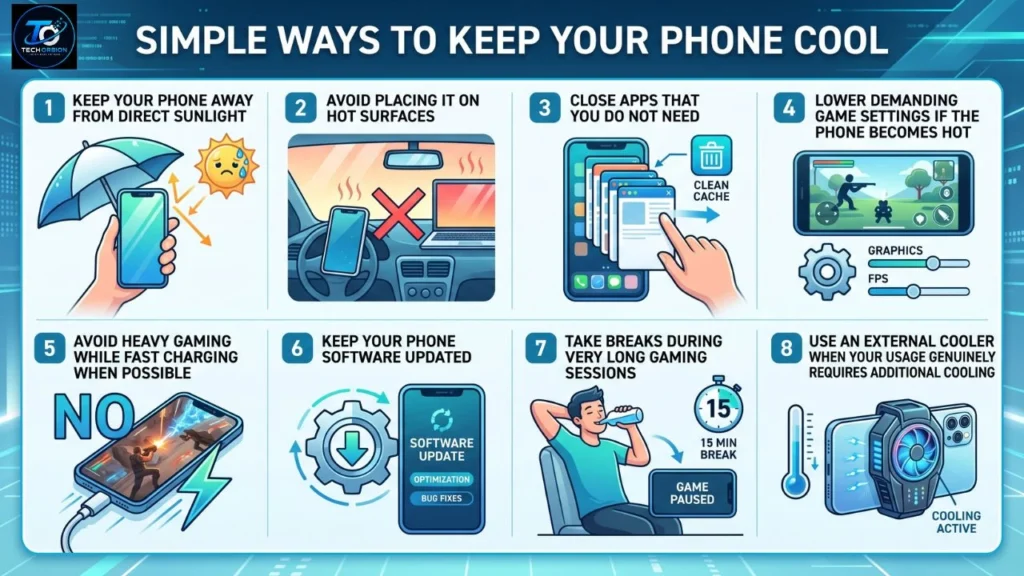
You do not always need an external cooler to reduce smartphone heat.
Try these simple steps:
- Keep your phone away from direct sunlight.
- Avoid placing it on hot surfaces.
- Close apps that you do not need.
- Lower demanding game settings if the phone becomes hot.
- Avoid heavy gaming while fast charging when possible.
- Keep your phone software updated.
- Take breaks during very long gaming sessions.
- Use an external cooler when your usage genuinely requires additional cooling.
These habits can work together with a phone cooling fan.
Mobile Cooling Fan vs. Built-In Phone Cooling
Smartphones already have internal systems designed to manage heat.
Depending on the device, these systems may use different components and materials to move heat away from important parts.
An external cooling fan works as an additional cooling accessory. It does not replace the phone’s internal thermal system.
For normal activities, the built-in system is generally designed to handle everyday use. For demanding gaming or other heavy workloads, an external cooler may provide additional help.
Is a Mobile Cooling Fan Worth It?
For most casual smartphone users, an external cooling fan is not necessary.
If you mainly use your phone for messaging, browsing, social media, calls, and watching videos, the phone’s built-in cooling system is usually enough.
For serious mobile gamers, however, a cooler can be a useful accessory. If your phone regularly becomes hot during long gaming sessions, it may help manage heat and make the device more comfortable to use.
A simple clip-on fan may be enough for occasional gaming, while a more advanced cooling plate and fan combination may be more suitable for demanding users.
The right choice depends on your smartphone, usage habits, budget, and preferred attachment method.
Frequently Asked Questions
What is a mobile cooling fan used for?
A mobile cooling fan is designed to help remove or manage heat from a smartphone during demanding activities such as gaming, streaming, video recording, and other heavy workloads.
Does a mobile cooling fan reduce gaming lag?
It may help if high temperatures are causing the phone to reduce performance. However, it cannot fix internet lag, server problems, or hardware limitations.
Is a phone cooling fan good for gaming?
Yes. It can be useful for people who play demanding games for long periods and notice that their phone becomes hot.
Are magnetic cooling fans better?
Not necessarily. Magnetic models can be easier to attach, but cooling performance depends on the complete design. Compatibility with your smartphone is also important.
Can I use a mobile cooling fan while charging?
Some cooling fans can be used while a phone is charging. However, check the instructions for both products and avoid excessive heat during charging.
Does every phone need a cooling fan?
No. Most smartphones do not need an external cooler for normal daily activities. Cooling accessories are mainly useful for demanding and extended workloads.
Can a phone cooler make my phone faster?
A cooler cannot increase the phone’s basic hardware performance. It may help maintain performance if excessive heat was causing thermal throttling.
Final Thoughts
A mobile cooling fan can be a useful accessory for people who regularly push their smartphones with demanding games and other heavy tasks.
Its main job is to help manage heat. By moving or transferring heat away from the device, a cooler may help maintain more consistent performance during extended use and make long gaming sessions more comfortable.
However, not everyone needs one. For everyday activities, your smartphone’s built-in thermal management is normally designed to handle regular use.
Before buying a mobile cooling fan, check compatibility, attachment method, cooling technology, noise level, power requirements, size, and build quality. Choose a model based on how you actually use your phone rather than simply buying the most expensive option.
