

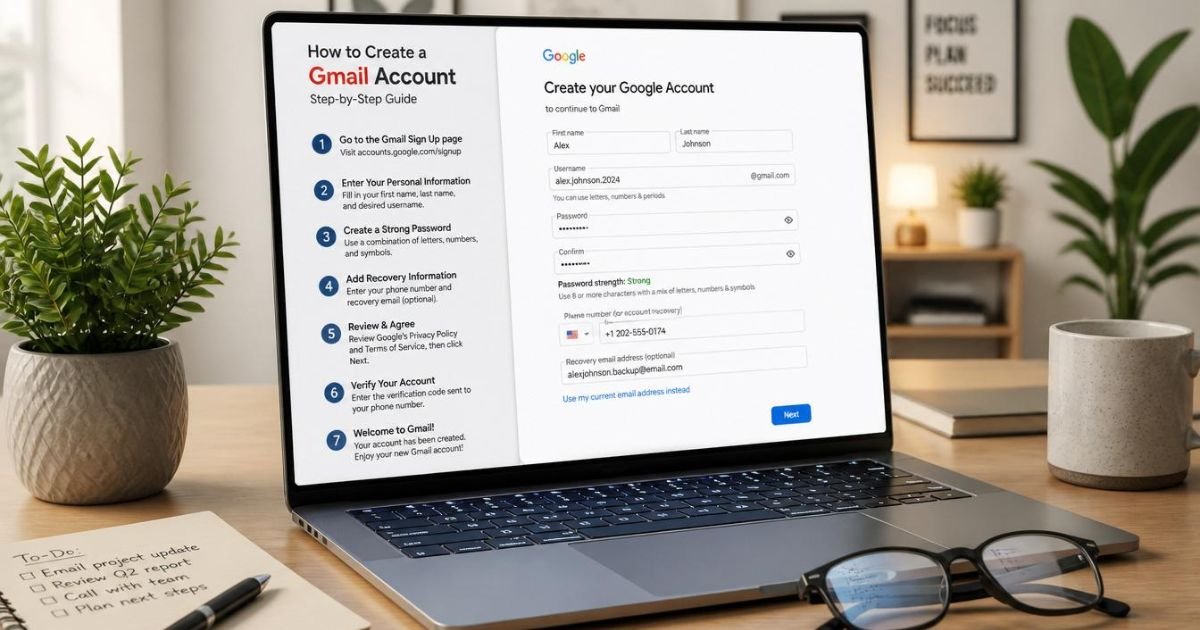
Meta Description:
How to Create Gmail Account in just a few minutes! Follow this simple beginner’s guide to create your free Gmail account on Android, iPhone, or PC with ease.
Introduction
Creating an email account is one of the first steps toward accessing the digital world. Whether you want to send emails, use online services, watch videos, or store files in the cloud, having a Gmail account makes everything easier. Millions of people choose Gmail because it is free, secure, and integrates with many useful Google services.
If you are wondering how to create Gmail account, this comprehensive guide is designed for beginners and experienced users alike. You will learn the complete Gmail sign up process on Android, iPhone, and computers. We’ll also explain common issues, account verification, security tips, and the many benefits of owning a Google email account. By the end of this guide, you’ll have everything you need to create a Gmail account successfully and start using your new Gmail inbox with confidence.
What Is a Gmail Account and Why Do You Need One?
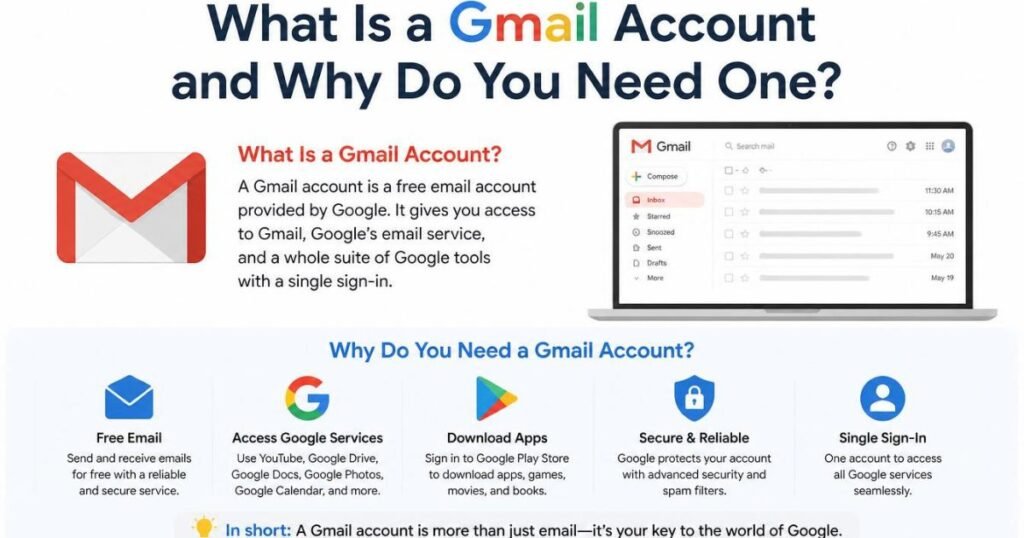
Learning how to create Gmail account begins with understanding what Gmail actually is. Gmail is Google’s free email service that allows users to send, receive, and organize emails quickly and securely. A Gmail account is much more than just an email address. It also acts as your Google Account, giving you access to Google Drive, Google Photos, Google Calendar, Google Meet, Google Docs, Google Play, YouTube, Google Maps, Google Chrome synchronization, and many other Google services.
how to create Gmail account One of the biggest advantages of Gmail is its simplicity and reliability. The service includes advanced spam protection, generous cloud storage, and excellent password security features that help protect your personal information. Whether you are a student, professional, freelancer, or business owner, Gmail makes communication easier while connecting you to an entire ecosystem of useful online tools. Because of these features, Gmail has become one of the most trusted email platforms in the world.
Requirements Before Creating a Gmail Account
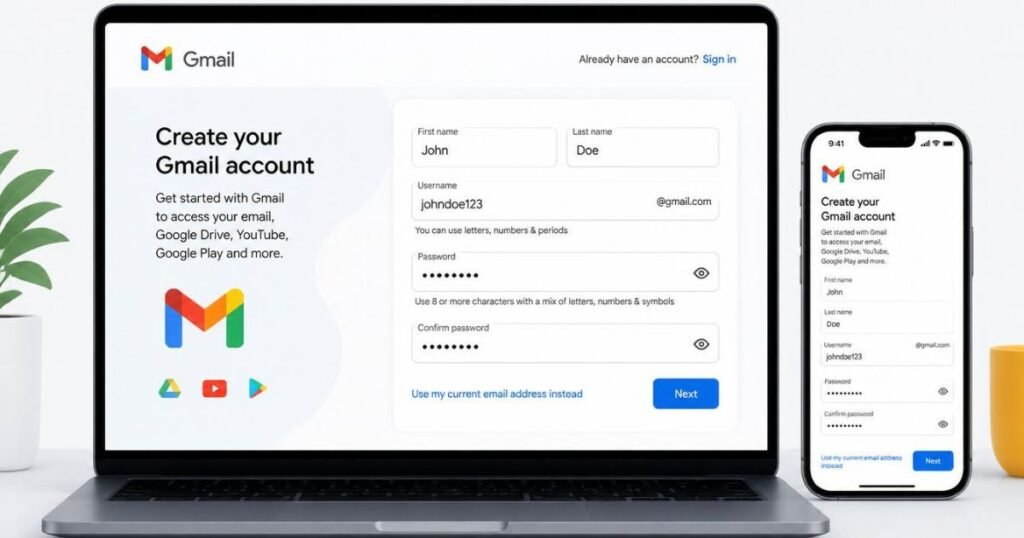
Before learning how to create Gmail account, make sure you have everything needed for a smooth registration process. First, you’ll need a stable internet connection. You can create a Gmail account using an Android phone, an iPhone, a tablet, or a computer. Google also recommends choosing a strong password that combines uppercase letters, lowercase letters, numbers, and special characters to improve password security.
You’ll also need to provide your first and last name, choose a unique Gmail username, and create a secure password. In some cases, Google may request a phone number for email verification and account recovery. Although certain users may search for how to create Gmail account without phone number, verification requirements vary depending on your location, device, and security checks. Having a recovery email address can also help protect your Google Account if you ever forget your password.
How to Create a Gmail Account on Android
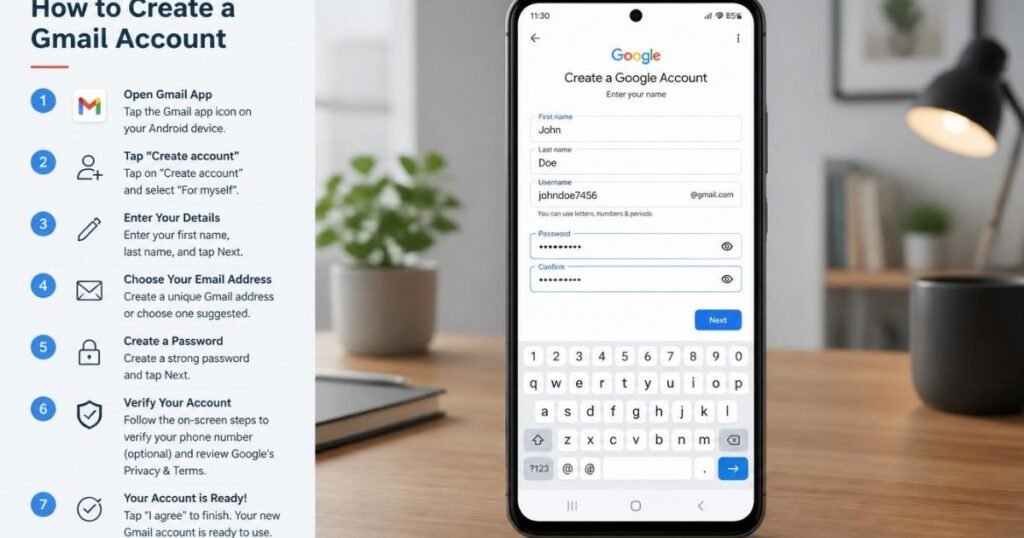
If you want to know how to create Gmail account on an Android phone, the process is simple and only takes a few minutes. Open your phone’s Settings and navigate to Accounts, then choose the option to add a new Google Account. You can also open the Gmail app directly and select the option to create a new account. Follow the prompts by entering your personal information, selecting a unique email address, creating a strong password, and completing the Gmail registration process.
After entering your information, Google may ask you to verify your identity through a phone number or another verification method. Once verification is complete, your new Gmail account setup will finish automatically. Your Gmail inbox will be ready to use immediately, allowing you to send emails, receive messages, download apps from Google Play Store, synchronize contacts, back up photos using Google Photos, and access other Google services without additional registration.
Android users also benefit from automatic synchronization across devices. Your email address, contacts, calendar events, and files stored in Google Drive remain updated whenever you sign in using your Google Account. This seamless integration makes Android one of the easiest platforms for creating and managing a new Gmail account.
How to Create a Gmail Account on iPhone
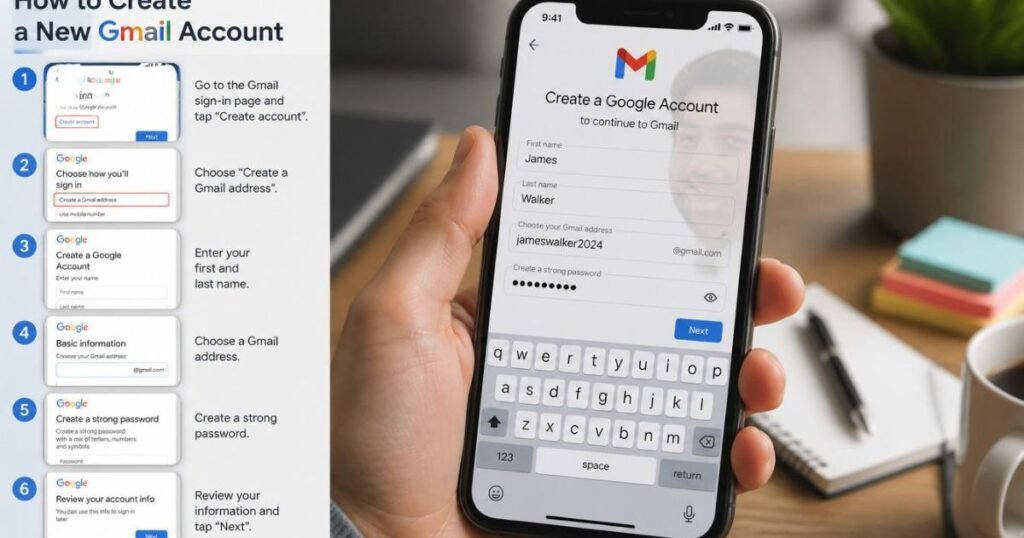
If you want to learn how to create Gmail account on an iPhone, the process is quick and beginner-friendly. Start by downloading the Gmail app from the App Store if it is not already installed on your device. Open the app, tap Create Account, and choose For Myself, For My Child, or For Work or My Business, depending on your needs. Enter your first and last name, select your date of birth, and choose a unique Gmail address. If your preferred email address is already taken, Gmail will suggest similar alternatives that you can use.
how to create Gmail account and Next, create a strong password that includes a combination of letters, numbers, and symbols to improve password security. Google may ask you to verify your phone number for additional protection. After completing the email verification process and accepting Google’s terms and conditions, your new Gmail account will be ready to use. You can now access your Gmail inbox, sync your contacts, use Google Photos for backups, schedule events in Google Calendar, join meetings through Google Meet, and enjoy many other Google services directly from your iPhone.
How to Create a Gmail Account on a Computer
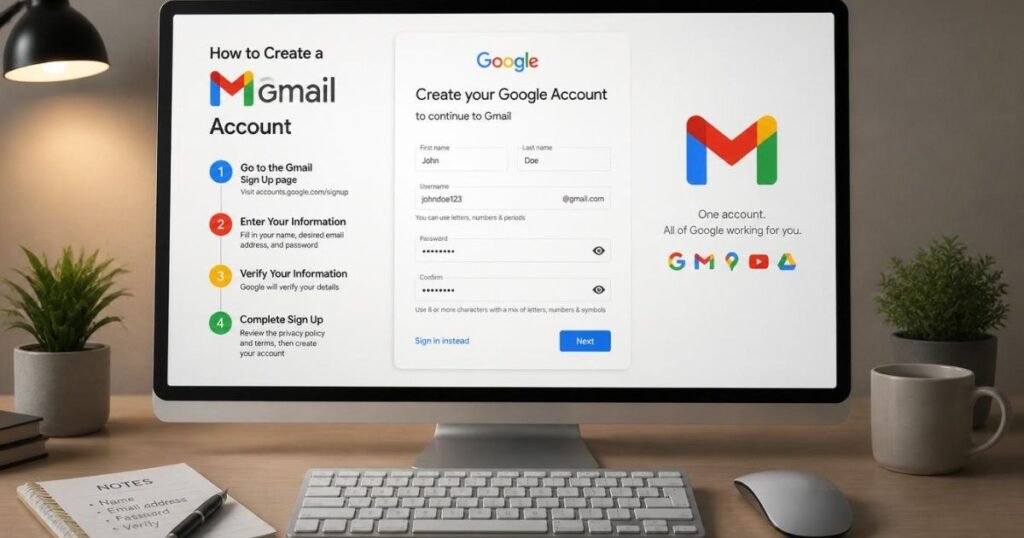
how to create Gmail account If you prefer using a desktop or laptop, understanding how to create a Gmail account on a computer is equally simple. Open your preferred web browser, such as Google Chrome, and navigate to the Gmail sign-up page. Click the option to create a new Google Account, then enter your personal information, including your name, desired Gmail username, and a secure password. Carefully review your details before moving to the next step to avoid errors during registration.
how to create Gmail account Google may ask for a recovery email address and a mobile phone number to improve account security and simplify account recovery in the future. Once you complete the required verification steps, your Google email account becomes active instantly. You can immediately begin sending emails, organizing messages into folders, saving files in Google Drive, editing documents in Google Docs, and accessing YouTube with the same Google Account. Creating a Gmail account on a computer is especially convenient for business users, students, and professionals who frequently work online.
How to Verify Your Gmail Account Successfully
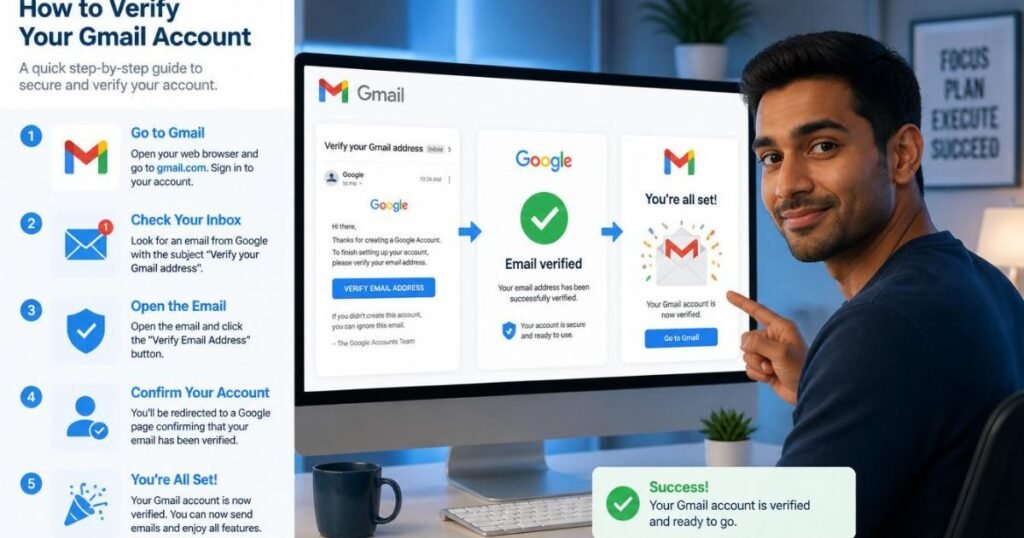
Many users learning how to create Gmail account wonder why verification is required. Google uses email verification and phone verification to confirm that the account belongs to a real person. This helps prevent spam accounts, reduces fraudulent activity, and improves overall platform security. In most cases, Google sends a verification code through SMS or voice call, which you simply enter during the registration process.
how to create Gmail account If you do not receive the verification code immediately, ensure your mobile network is active and that you entered the correct phone number. Restarting your phone or requesting a new code often solves the issue. After successful verification, your Gmail account setup is completed, and your account becomes more secure. Verified accounts also have a better chance of being recovered if you ever forget your password or lose access to your device.
Common Problems While Creating a Gmail Account and How to Fix Them
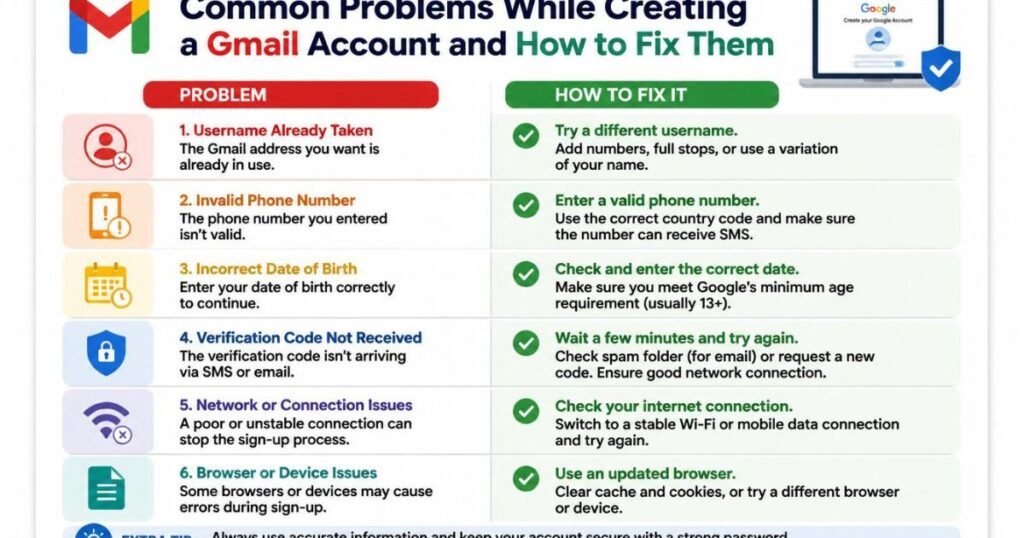
While learning how to create Gmail account, some users encounter common registration problems. One of the most frequent issues is selecting a username that is already in use. Since Gmail has billions of users worldwide, many simple usernames are unavailable. The easiest solution is to add numbers, initials, or a unique word to create an available email address. Another common issue occurs when passwords do not meet Google’s security requirements. Using a stronger combination of uppercase letters, lowercase letters, numbers, and special characters usually resolves this problem.
how to create Gmail account Some users may also experience verification errors, internet connection issues, or temporary account creation limits. If verification codes do not arrive, double-check your phone number and request another code after a few minutes. If the website or app becomes unresponsive, clear your browser cache, update the Gmail app, or switch to another browser such as Google Chrome. Following these troubleshooting steps usually allows you to complete the Gmail registration process without difficulty and continue using your new Google Account successfully.
Tips to Keep Your New Gmail Account Secure
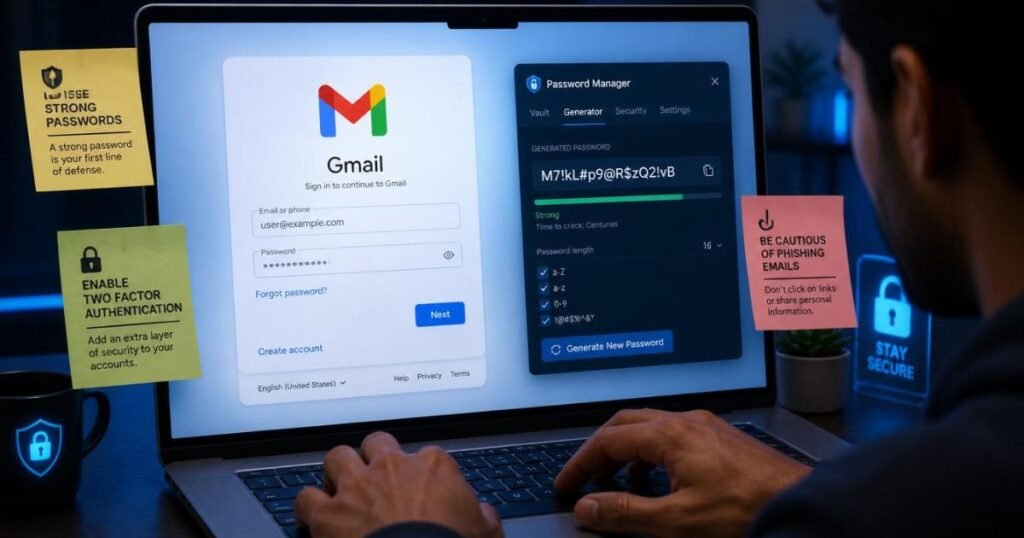
Learning how to create Gmail account is only the first step. Keeping your account secure is equally important. Start by creating a unique and strong password that is difficult for others to guess. Avoid using your name, birth date, or simple number combinations. Update your password regularly and never share it with anyone. Enabling two-factor authentication adds another layer of protection, ensuring that only you can access your account even if someone knows your password.
how to create Gmail account You should also review your Google Account security settings regularly. Add a recovery email address and phone number so you can recover your account if you forget your password. Be cautious of phishing emails that ask for your login details, and always sign out when using a public computer. Following these simple practices will help protect your Gmail inbox, personal data, and access to Google Drive, Google Photos, Google Calendar, and other Google services.
Benefits of Having a Gmail Account
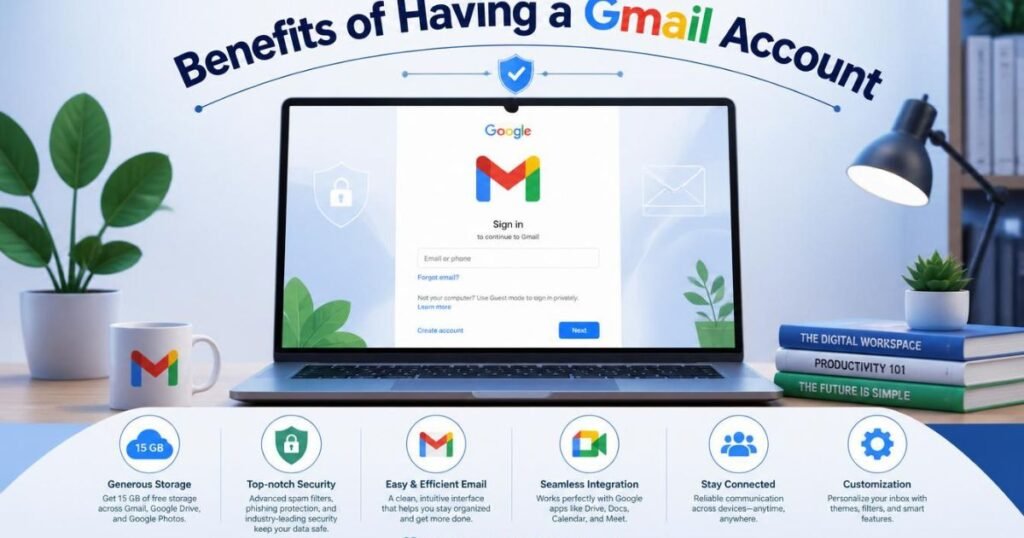
Understanding how to create Gmail account also means knowing why millions of people rely on Gmail every day. A Gmail account gives you free access to a complete ecosystem of Google products. With one Google Account, you can use Google Drive for cloud storage, Google Docs for creating documents, Google Meet for online meetings, Google Calendar for scheduling events, Google Maps for navigation, and YouTube for watching and uploading videos.
how to create Gmail account Another major advantage is seamless synchronization across multiple devices. Whether you use Android, iOS, or a computer, your emails, contacts, files, and calendar events stay updated automatically. Gmail also offers powerful spam filtering, advanced search features, reliable email delivery, generous storage space, and excellent security. These features make Gmail an ideal choice for students, professionals, freelancers, business owners, and anyone who needs a dependable email service.
Frequently Asked Questions About Creating a Gmail Account
Learning how to create Gmail account often raises several questions, especially for first-time users. Below are some of the most common questions and their answers to help you complete the process with confidence.
1. Is creating a Gmail account free?
Yes. Gmail is completely free to create and use.
2. Can I create a Gmail account without a phone number?
Sometimes. Google may or may not require phone verification depending on your device, location, and security checks.
3. How long does Gmail account creation take?
Most users can complete the process in less than five minutes.
4. Can I have multiple Gmail accounts?
Yes. Google allows you to create and manage multiple Gmail accounts.
5. What should I do if my preferred Gmail address is unavailable?
Try adding numbers, initials, or another unique word to your username.
6. Can I use Gmail for business?
Yes. Gmail works well for personal and business communication, and businesses can also use professional Google Workspace accounts.
7. How do I recover a forgotten Gmail password?
Use Google’s account recovery process with your recovery email address or phone number.
8. Is Gmail secure?
Yes. Gmail includes spam protection, encryption, password security, and optional two-factor authentication.
9. Can I access Gmail on multiple devices?
Yes. You can sign in on Android, iPhone, tablets, and computers using the same Google Account.
10. What can I do after creating a Gmail account?
You can send emails, use Google Drive, Google Photos, Google Docs, Google Meet, Google Play, YouTube, Google Maps, and many other Google services.
Conclusion
Creating a Gmail account is one of the simplest yet most valuable steps you can take to access the digital world. Whether you choose Android, iPhone, or a computer, the registration process is straightforward and only takes a few minutes. Once your account is ready, you gain access to a secure email service along with a wide range of Google tools that improve communication, productivity, cloud storage, and collaboration.
how to create Gmail account By following the steps and security tips in this guide, you can confidently create, verify, and protect your new Gmail account. From sending emails to managing files and joining online meetings, Gmail offers everything you need in one reliable platform. Keep your account information secure, update your recovery options regularly, and enjoy the convenience of Google’s powerful ecosystem for both personal and professional use.
