

Introduction
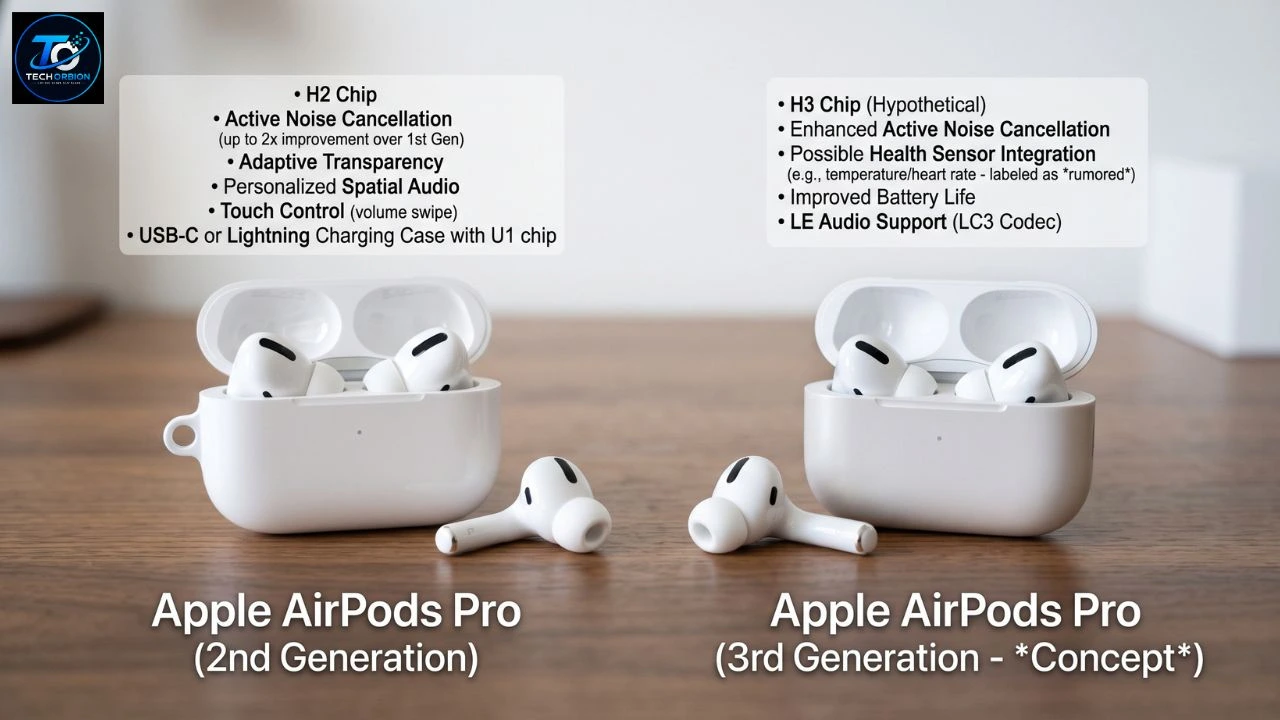
The Apple AirPods Pro 2 vs 3 comparison is important for anyone trying to choose between Apple’s older premium earbuds and the newer generation. AirPods Pro 2 became popular because of their excellent noise cancellation, comfortable design, strong sound, and easy connection with Apple devices. AirPods Pro 3 builds on that formula with a redesigned fit, stronger water resistance, longer single-charge battery life, and new features such as heart-rate sensing during workouts.
So, should you buy the newer model, or can you save money with AirPods Pro 2? The answer depends on what you need. Pro 3 is the better choice if you want the newest features and longer battery life. Pro 2 can still make sense if you find it at a much lower price.
This guide compares both models in simple terms, including design, sound, noise cancellation, battery life, features, comfort, water resistance, and value.
If you are comparing Apple earbuds with other brands, our guide to the best wireless earbuds can help you explore more options before buying.
Table of Contents
- AirPods Pro 2 vs 3: Key Differences
- Design, Comfort, and Durability
- Sound Quality and Noise Cancellation
- Battery Life and Special Features
- Which AirPods Pro Should You Buy?
- Frequently Asked Questions
- Conclusion
AirPods Pro 2 vs 3: Key Differences
AirPods Pro 3 are not a completely different product. They still use Apple’s H2 chip and keep many of the features that made AirPods Pro 2 popular. However, Apple has made several important changes to the design, sensors, battery, and noise-control system.
The biggest differences are easy to understand. AirPods Pro 3 offer up to eight hours of listening with Active Noise Cancellation on a single charge, compared with up to six hours for AirPods Pro 2. Pro 3 also has an IP57 rating, while the USB-C AirPods Pro 2 has an IP54 rating.
If you want to see Apple’s official model-by-model comparison, you can check the AirPods comparison page.
Quick Comparison
| Feature | AirPods Pro 2 | AirPods Pro 3 |
| Chip | Apple H2 | Apple H2 |
| ANC | Yes | Yes, improved |
| Adaptive Audio | Yes | Yes |
| Transparency Mode | Yes | Yes |
| Spatial Audio | Yes | Yes |
| Heart-rate sensing | No | Yes |
| Hearing features | Yes, supported regions | Yes, supported regions |
| Water/dust resistance | IP54 on USB-C version | IP57 |
| Battery with ANC | Up to 6 hours | Up to 8 hours |
| Charging case | USB-C version available | USB-C |
| Bluetooth | Bluetooth 5.3 | Bluetooth 5.3 |
| Ear-tip options | Four sizes on Pro 2 | Five sizes, including XXS |
| Best for | Value and proven performance | Newest features and longer battery |
Apple lists AirPods Pro 3 with five ear-tip sizes: XXS, XS, S, M, and L. This gives users more options for finding a secure fit.
The difference is especially useful for people whose ears are too small for some standard ear tips. A better seal can also help with comfort and noise isolation.
Design, Comfort, and Durability
A Different Fit
AirPods Pro 2 already have a small and lightweight design, but Pro 3 changes the shape of the earbuds. The newer model has a redesigned housing and shorter overall form. The goal is to make the earbuds sit more securely inside the ear.
Fit is personal, though. One person may find Pro 3 more secure, while another may prefer the way Pro 2 sits in the ear. This is why buying from a retailer with a good return policy is useful if you are unsure about comfort.
AirPods Pro 3 weigh about 5.55 grams per earbud, while the Pro 2 earbuds are about 5.3 grams each. So the difference in weight is very small.
Water and Dust Resistance
This is an area where the newer model has a clear advantage. AirPods Pro 3 and their charging case have an IP57 rating for dust, sweat, and water resistance. The USB-C version of AirPods Pro 2 has an IP54 rating.
For someone who exercises often, this difference may matter. Pro 3 gives you more protection against water and dust. Still, an IP rating does not mean you should deliberately swim with your earbuds or treat them as waterproof.
After a workout, it is still smart to wipe the earbuds and let them dry before putting them into the case.
Sound Quality and Noise Cancellation
Sound quality is one of the most important reasons people buy Pro-level AirPods. Both models use Apple’s H2 chip and offer features such as Adaptive EQ, Personalized Spatial Audio, Transparency mode, and Active Noise Cancellation.
AirPods Pro 2 already sounds very good for music, podcasts, videos, and calls. The newer Pro 3 aims to improve the experience with changes to the acoustic design and noise-control system. Independent testing from Tom’s Guide found Pro 3 delivered stronger sound and noise cancellation in its comparison with Pro 2.
AirPods Pro 3 win this round because Apple has improved their Active Noise Cancellation. However, if you want to compare Apple’s earbuds with competing models, see our guide to the best noise-cancelling earbuds.
Which Has Better Noise Cancellation?
AirPods Pro 3 won this round. Apple says Pro 3 provides up to twice as much Active Noise Cancellation compared with the original AirPods Pro and AirPods 4 with ANC.
For real-life use, stronger ANC can be useful when you are sitting on an airplane, riding a bus, working in a busy office, or studying in a noisy room.
Imagine you are trying to listen to a podcast on a crowded train. With good noise cancellation, you do not need to increase the volume as much to hear the speaker clearly.
Both models also have Transparency mode. This lets outside sounds reach your ears, which is useful when talking to someone or listening for traffic.
Battery Life and Special Features
Battery life is one of the clearest improvements in the AirPods Pro 2 vs 3 comparison.
AirPods Pro 2 offers up to six hours of listening time with Active Noise Cancellation enabled. AirPods Pro 3 increases that figure to up to eight hours. With Spatial Audio and head tracking enabled, Pro 3 can provide up to 7.5 hours.
There is an important catch. The Pro 3 charging case provides up to 24 hours of listening with ANC enabled, while Pro 2 can provide up to 30 hours under Apple’s listed conditions. So Pro 3 have longer earbud battery life, but Pro 2 can offer more total listening time when the case is included.
Heart-Rate Tracking
One of the biggest new features in Pro 3 is the built-in heart-rate sensor.
AirPods Pro 3 can measure heart rate during workouts. Apple says the feature works with compatible fitness experiences and devices.
This can be useful if you exercise regularly but do not always want to wear a smartwatch. For example, someone going for a run can wear AirPods Pro 3 and use compatible workout software to track heart rate.
However, this feature should not be the main reason everyone buys Pro 3. If you already own an Apple Watch or another fitness tracker, the extra sensor may not change much for you.
Hearing Health Features
Both generations support Apple’s hearing-health features where available and supported. These include Hearing Test and Hearing Aid functionality, as well as hearing protection features.
Availability can depend on your country, device, software, and regulatory approval. This is important because a feature listed on Apple’s website may not be available everywhere.
If hearing health is your main reason for buying, check Apple’s current support information for your country before making a purchase.
Other Smart Features
AirPods Pro 3 supports several useful features, including Adaptive Audio, Conversation Awareness, Personalized Spatial Audio, Voice Isolation, and Live Translation.
The exact experience depends on your Apple device and software. AirPods can work as Bluetooth headphones with non-Apple devices, but Apple warns that functionality may be limited outside its ecosystem.
This means an iPhone user gets the most complete experience from either model.
Which AirPods Pro Should You Buy?
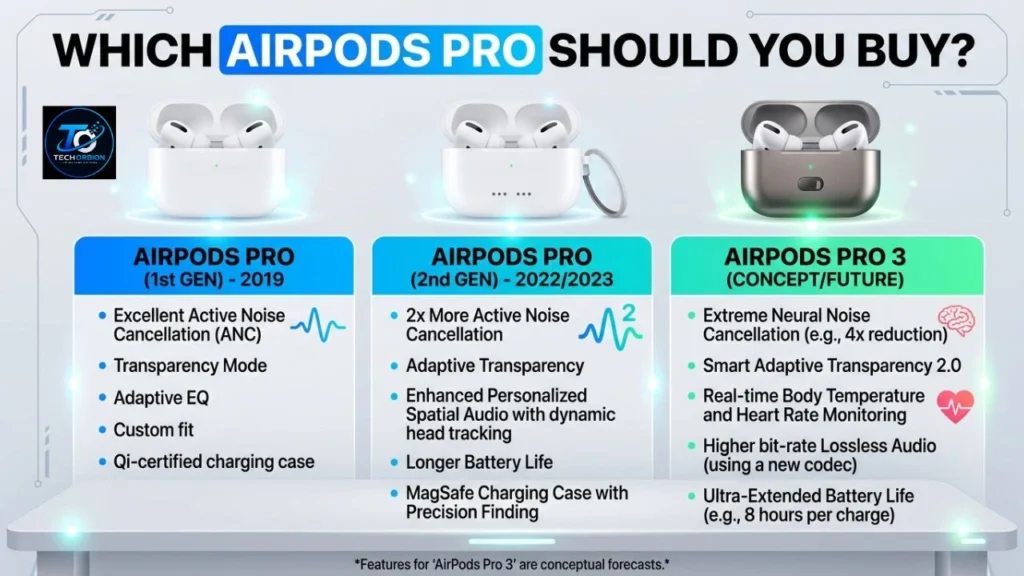
The winner depends on your budget and how you use earbuds. There is no reason to upgrade simply because a newer model exists.
If you want the best overall experience and do not mind paying more, AirPods Pro 3 are the better choice. They offer improved noise cancellation, longer battery life per charge, heart-rate sensing, a more protective IP57 rating, and a redesigned fit.
But AirPods Pro 2 can be the smarter purchase when heavily discounted. Their H2 chip, ANC, Spatial Audio, Transparency mode, and Apple ecosystem features still make them capable premium earbuds.
AirPods Pro 2 can still be the smarter purchase when heavily discounted. Their H2 chip, ANC, Spatial Audio, Transparency mode, and Apple ecosystem features still make them capable premium earbuds. For a complete look at the older model, see our AirPods Pro 2 guide.
Choose AirPods Pro 3 If:
- You want the newest AirPods Pro model.
- You want longer battery life per charge.
- You exercise and want heart-rate sensing.
- You want stronger water and dust resistance.
- You want the latest noise-cancellation improvements.
- You want the redesigned fit and extra XXS ear-tip option.
- You plan to keep the earbuds for several years.
Choose AirPods Pro 2 If:
- You find them at a significantly lower price.
- You already like their fit.
- You do not need heart-rate tracking.
- You are happy with their noise cancellation.
- You want excellent Apple earbuds without paying for every new feature.
Is It Worth Upgrading From Pro 2 to Pro 3?
This is a harder question.
If your current AirPods Pro 2 works perfectly, there is no urgent reason to replace them. They remain capable earbuds with strong noise cancellation, good sound, and useful Apple features.
An upgrade makes more sense if you want better ANC, longer single-charge battery life, improved water resistance, heart-rate sensing, or the new fit. Independent testing has also found noticeable improvements in sound and ANC on Pro 3.
Common Buying Mistakes to Avoid
1. Buying only because Pro 3 is newer:
Newer does not always mean better value. Compare the actual prices first.
2. Ignoring fit:
The best-sounding earbuds are not useful if they hurt your ears. Try different ear tips and use a return policy when possible.
3. Looking only at case battery life:
Check both the single-charge earbud rating and total case rating.
4. Assuming every feature works everywhere:
Some hearing and newer software features depend on region and compatible Apple devices.
5. Buying from an unreliable seller:
AirPods are popular products, so counterfeit units are a real concern. Buy from Apple or a reputable retailer and check the seller’s return and warranty policy.
Frequently Asked Questions
1. Which is better, AirPods Pro 2 or AirPods Pro 3?
AirPods Pro 3 are better overall because they add improved ANC, longer single-charge battery life, heart-rate sensing, IP57 protection, and a redesigned fit. Pro 2 can be better value when discounted.
2. Do AirPods Pro 3 have better noise cancellation?
Yes. Apple says AirPods Pro 3 provide up to twice the ANC compared with the original AirPods Pro and AirPods 4 with ANC.
3. Do AirPods Pro 3 have better battery life?
They have better battery life per charge. Pro 3 offer up to eight hours with ANC, compared with up to six hours for Pro 2.
4. Are AirPods Pro 3 waterproof?
No. They are water resistant, not waterproof. Pro 3 have an IP57 rating, but you should not intentionally submerge them or use them for swimming.
5. Do AirPods Pro 3 track heart rate?
Yes. AirPods Pro 3 include a heart-rate sensor designed to measure heart rate during workouts.
6. Do AirPods Pro 2 have heart-rate tracking?
No. Heart-rate sensing is a new hardware feature of AirPods Pro 3.
7. Are AirPods Pro 2 still worth buying?
Yes, if you find them at a good price. They still offer the H2 chip, ANC, Transparency mode, Spatial Audio, and strong Apple integration.
8. Do both models support Spatial Audio?
Yes. Both support Personalized Spatial Audio with dynamic head tracking.
9. Do AirPods Pro 3 work with Android?
They can work as Bluetooth headphones with non-Apple devices, but some features are limited compared with using them with compatible Apple devices.
10. Should I upgrade from AirPods Pro 2 to Pro 3?
Upgrade if you want stronger ANC, longer battery life per charge, heart-rate sensing, better water resistance, or the redesigned fit. If your Pro 2 are working well and you are satisfied with them, keeping them is perfectly reasonable.
Conclusion
The Apple AirPods Pro 2 vs 3 battle has a clear winner for people who want the newest technology: AirPods Pro 3. They bring stronger noise cancellation, longer battery life per charge, heart-rate sensing, IP57 protection, and a redesigned fit.
However, AirPods Pro 2 should not be dismissed. They still offer many of the features people want from premium Apple earbuds, including the H2 chip, ANC, Transparency mode, Spatial Audio, and hearing-health tools. If you can find them for substantially less money, they may offer better value.
In simple terms, buy AirPods Pro 3 if you want the best and newest experience. Buy AirPods Pro 2 if the price is much lower and you do not need the newer features. For existing Pro 2 owners, upgrading is optional rather than necessary.
