

When Salesforce suddenly stops working, it can mean far more for a company than just a brief interruption. Sales representatives may be unable to access customer data, service teams might not see tickets, automations may stall, and integrations with other applications could report errors. That is precisely why a Salesforce outage often commands immediate attention.
However, a Salesforce disruption does not always mean the entire global platform has gone down. Salesforce operates numerous services, instances, and environments, meaning an issue might affect only specific regions, functions, browsers, sandboxes, or customer groups. Consequently, the official Trust status page distinguishes between different types of incidents and displays the specific instances and services affected.
VPNs, firewalls, and corporate networks can also play a role and should be checked alongside basic cybersecurity settings when dealing with such a problem.
In recent months, for example, there have been various Salesforce issues: in June 2026, a disruption affected asynchronous processes and integrations, among other things, while other incidents stemmed from browser changes or problems within specific environments. To properly assess a disruption, users should therefore first determine exactly what is not working and which Salesforce instance is affected.
What exactly does a Salesforce outage mean?
A Salesforce outage generally refers to a situation where a Salesforce service is not available to customers as intended, or where specific functions are impaired. The scope of such an event can vary significantly. Sometimes, users are unable to open Salesforce or log in at all. In other cases, login works without issue, but individual features respond slowly, trigger error messages, or are completely unavailable.
Salesforce uses various terms on its Trust platform to describe these situations, such as “performance degradation” and “feature degradation.” During performance degradation, users can still use the service but may experience slow response times, timeouts, or connectivity issues. Feature degradation means that specific functions are restricted or unavailable.
This distinction is useful for companies. For instance, if the Salesforce interface is accessible but a specific automation fails to work, it does not necessarily constitute a total platform outage. Nevertheless, such a disruption can still have a significant impact on business processes.
Not Every Error Is a Global Outage
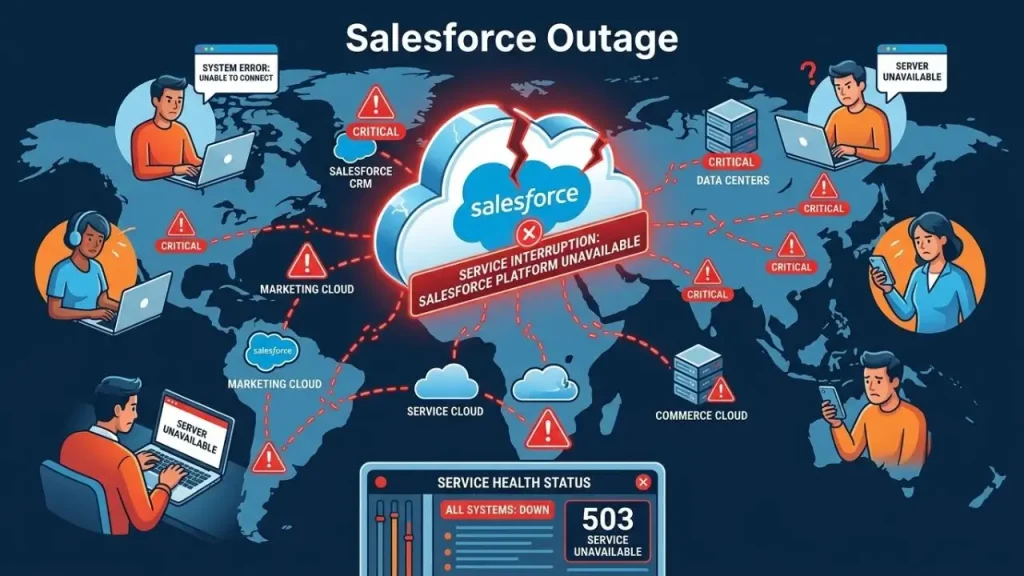
A common misconception is to assume a global outage whenever a Salesforce issue arises. The platform operates using various instances and services; consequently, one company might be affected while another continues to use Salesforce normally.
The environment also plays a role. For instance, a problem might affect only a sandbox, leaving the production environment fully functional. In June and July 2026, Salesforce documented an incident where specific sandbox instances were impacted by an issue with an external infrastructure provider, while production environments remained unaffected.
This explains why reports from colleagues, social media, or other companies do not always accurately reflect what is happening with your own Salesforce system. Your specific instance and the services you are actually using are the decisive factors.
What can cause a Salesforce outage?
The causes of a Salesforce outage can vary widely. A cloud service consists of many interconnected components, including databases, servers, network connections, storage, applications, security mechanisms, and external dependencies. If one of these components malfunctions, it can impact specific functions without causing the entire platform to go down.
A good example of this is a Salesforce incident from June 2026. At the time, Salesforce reported a service disruption that potentially affected automations, integrations, and business processes relying on asynchronous processing. Salesforce later announced that a recent configuration change had triggered the issue and was subsequently rolled back.
Such cases illustrate why a seemingly minor technical change can have major consequences. Modern cloud platforms are composed of numerous interdependent components; consequently, a change to a central component can affect functions that, at first glance, appear completely unrelated.
Browser updates can also cause problems
Not every disruption originates within the Salesforce infrastructure. For instance, in September 2026, Salesforce issued an advisory regarding intermittent UI freezes experienced by some customers using Chrome or Microsoft Edge version 153. Salesforce explained that an external Chromium browser update was the trigger, meaning the root cause did not lie within the Salesforce codebase itself.
This serves as an important example for troubleshooting. If Salesforce freezes for a user, it does not automatically mean that Salesforce itself is down; factors such as the browser, operating system, network, extensions, or corporate policies can also play a role.
In such a scenario, Salesforce might remain accessible even though a specific part of the user interface stops responding correctly. According to the official report, for example, users on affected pages could still scroll, even though mouse and pointer inputs were no longer being processed correctly.
How can you tell if Salesforce is currently down?

The quickest way to check is via the official Salesforce Trust status platform. This site publishes information on service availability, performance, incidents, and scheduled maintenance. Salesforce also notes that users can search for their specific instance or domain to get information relevant to their own environment.
This approach is far more reliable than relying solely on browser error messages or social media posts. While multiple employees reporting issues simultaneously serves as an indicator, it is not definitive proof of a widespread Salesforce outage.
Checking your Salesforce instance
Companies should first identify which Salesforce instance they are using. Salesforce provides a search tool for this purpose, allowing users to look up details using—among other things—their organization’s “My Domain.” Users can then determine whether a current incident has been reported for their specific environment.
This step is crucial because Salesforce disruptions can be localized or specific to certain instances. A general status indicating that “Salesforce is operational” does not necessarily mean that every single function is working flawlessly in every environment.
The Trust page also provides information on scheduled maintenance. This makes it easier to distinguish between unexpected issues and problems caused by known maintenance activities.
Salesforce also highlights the use of Trust Notifications to keep customers promptly informed about disruptions, maintenance, and other relevant events. For critical incidents, Salesforce aims to update the Trust page within ten minutes of becoming aware of a critical incident affecting customers.
What is the first step during a Salesforce outage?
If Salesforce suddenly stops working, you should not immediately make changes to your own configuration. The first step is to narrow down the problem. Is Salesforce down for all employees or just one person? Is the entire application affected, or only a specific function? Does the error occur in a different browser as well?
These simple questions can save a great deal of time. For instance, if only a single employee is affected while colleagues continue to work without issues, this points to a local problem. Possible causes include browser issues, network disruptions, extensions, or local policies.
Conversely, if many employees see the same error message simultaneously, you should check the Salesforce Trust Status. Key details to look for include the affected instance, the affected service, and the reported start time of the incident.
Ruling out browser and network issues
Switching browsers can be a quick way to isolate certain problems. In September 2026, Salesforce documented an incident where specific versions of Chrome and Edge caused intermittent UI freezes. As a temporary workaround, affected customers meeting certain organizational criteria were advised to use a different supported browser or revert to an earlier browser version.
Corporate networks or access rules can represent an additional source of errors, particularly with VPN connections.
However, companies should not implement such changes across all devices without proper oversight. Many firms manage browsers centrally; downgrading or altering browser configurations could violate security and compliance policies.
VPNs, firewalls, and corporate networks can also be factors. If Salesforce is inaccessible via a private network connection but works on a different internet connection, the root cause may not lie with Salesforce itself.
Therefore, a structured testing approach is advisable: check the status, compare affected users, test browsers, verify the network, and then review the Salesforce information regarding the specific incident.
What impact can a Salesforce outage have on companies?
The impact depends heavily on which Salesforce functions are affected. A user interface issue might prevent employees from editing records or responding to customer inquiries. Conversely, an integration disruption can interrupt background processes even while the Salesforce interface itself remains accessible.
Automations can be particularly critical. Many companies rely on workflows, integrations, and processes that transfer data or trigger actions in the background. If these operations fail, an error can quickly spread to other systems.
A Salesforce incident from June 2026 clearly illustrates this risk. At that time, Salesforce reported issues with automations, integrations, and business processes that relied on asynchronous processing. Order management could also be affected, potentially causing order processing to fail.
Why integrations can be particularly sensitive
A company often does not use Salesforce in isolation. CRM data can be connected to email systems, support platforms, payment services, marketing solutions, ERP systems or internal applications.
If Salesforce or a dependent component fails, this could expose errors in multiple systems. An employee might then only see an error message in another program, even though the cause was originally related to Salesforce.
That’s why companies shouldn’t just monitor the Salesforce interface in the event of a major incident. Integration queues, failed synchronizations, and automated processes should also be controlled once the service is available again.
Another important point is recovery. The fact that the user interface is working again does not automatically mean that every background process has already been fully caught up. After a major disruption, it may be useful to monitor failed jobs and integrations.
How can companies prepare for future Salesforce outages?
Completely avoiding cloud outages is unrealistic. However, companies can ensure that an outage does not immediately lead to chaos. This starts with a clear internal workflow: Who checks the Salesforce status? Who informs employees? Who monitors integrations? And who decides when to switch to a manual process?
Such preparation is particularly helpful for companies whose daily operations rely heavily on Salesforce. Sales teams, for example, should know how to handle critical customer data during a brief period of unavailability. Support teams might need an alternative communication channel.
Technical teams should also document which systems depend on Salesforce. A simple overview of critical integrations can save valuable time during an outage.
Trust Notifications and Internal Communication
Salesforce offers Trust Notifications, allowing customers to receive alerts regarding service issues, maintenance events, and product releases. According to Salesforce, these notifications can be delivered via email or SMS.
For larger organizations, it is also worthwhile to establish an internal communication process. Employees should not receive ten different alerts from various departments when a single, centralized status update would suffice.
A brief debriefing session should also take place following an incident. This allows for key questions to be addressed: When did the problem begin? Which systems were affected? Which processes failed? How long did recovery take? And was it necessary to subsequently verify data or tasks?
Such information is valuable not only for the next Salesforce incident; it can also reveal areas where a company is generally overly dependent on a single system or integration.
What recent Salesforce outages in 2026 reveal

Official Salesforce reports from 2026 demonstrate that outages can stem from a wide variety of causes. For instance, in May 2026, a cross-cloud outage occurred in the USA-East region. Salesforce later reported that storage and system resources had been exhausted, leading to instability. The affected systems were cleared and restarted, and service was subsequently restored.
Another incident in July 2026 affected the display of the Dynamic Highlights Panel in certain current versions of Chrome and Edge. Salesforce ultimately identified a change in CSS rendering introduced by a browser update and worked on a corresponding fix.
These examples illustrate why the term “Salesforce outage” does not always describe the same type of situation. An incident can be triggered by infrastructure, configuration, resource issues, browser changes, third-party providers, or other technical dependencies.
For users, therefore, the crucial question is not simply “Is Salesforce down?” but rather more specific inquiries: Which Salesforce function is affected, which instance is impacted, and what does the official status report say?
Conclusion
A Salesforce outage can range from a minor functional glitch to a significant disruption of critical business processes. Crucially, not every error message should be immediately interpreted as a global Salesforce outage.
Official Salesforce information indicates that there are various possible causes, including configuration changes, resource issues, external infrastructure problems, browser updates, and disruptions affecting specific services or instances.
Anyone affected by a disruption should therefore first check the Salesforce Trust status, identify their specific instance, and determine whether other users are experiencing the same issue. Subsequently, the browser, network, and integrations can be checked.
If you want to check whether there is currently a Salesforce outage, you should first visit the official Salesforce Trust status page. There, you can check the current system status and any potential outages.
For companies, preparation is at least as important as the actual troubleshooting process. Clear emergency procedures, Trust notifications, documented integrations, and alternative workflows can help significantly limit the impact of a Salesforce disruption.
Frequently Asked Questions About Salesforce Outages
1. What is a Salesforce outage?
A Salesforce outage is a disruption where Salesforce services or specific features are not available as intended. The scope can range from a single feature to multiple services or instances.
2. How can I check if Salesforce is currently down?
The most reliable source is the official Salesforce Trust Status page. It displays current incidents, affected instances, services, and maintenance information. Users can also search for their specific Salesforce instance or domain.
3. Why is Salesforce working for a colleague but not for me?
This could be due to differences in instances, browsers, networks, or local settings. If only a single user is affected, the first step should be to check whether the problem persists in a different browser or on a different network.
4. Can browser updates cause a Salesforce outage?
Yes. For example, in 2026, Salesforce documented issues with specific versions of Chrome and Edge that caused the Salesforce interface to freeze for some customers. Salesforce determined that the root cause lay outside the Salesforce codebase.
5. What should a company do during a Salesforce outage?
First, check the official status and determine the scope of the disruption. Next, monitor critical integrations, automations, and business processes. If Salesforce remains unavailable for an extended period, activate the pre-defined manual contingency process.
